A collaborative tool for modern work and school
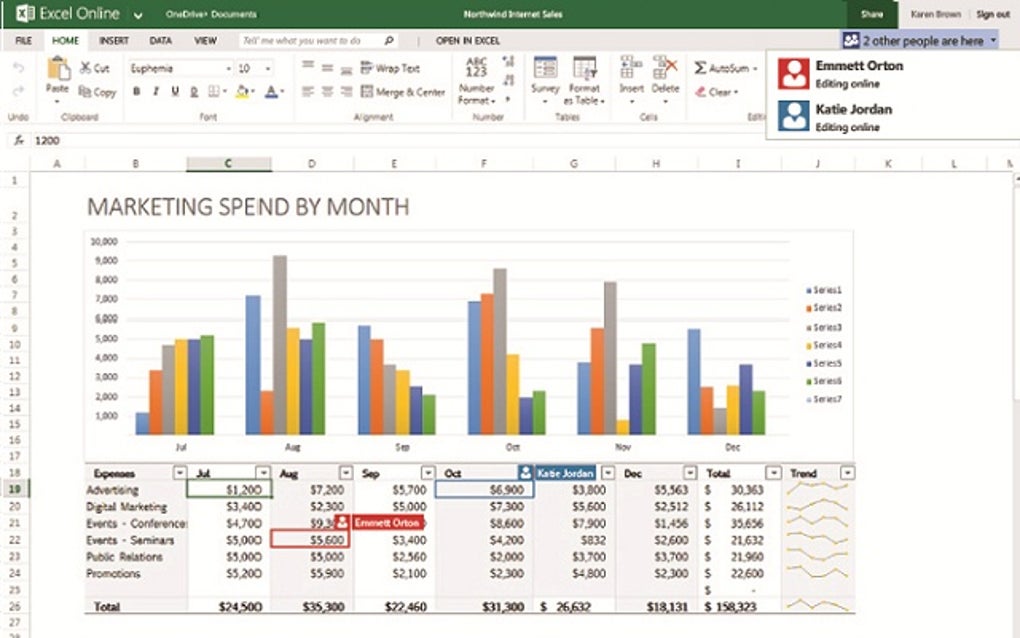
Excel Online is a versatile productivity tool that enables users to create, edit, and collaborate on spreadsheets from virtually anywhere. Its standout feature is real-time co-authoring, which allows multiple users to work on the same document simultaneously, enhancing team efficiency and eliminating the delays of traditional file sharing or version conflicts.
Excel Online is a browser-based way to create and edit Excel spreadsheets without needing to install the application. The convenience of being able to access your work from any device with an internet connection is a huge advantage. Its user-friendly interface makes it easy to jump right in.
For basic spreadsheet tasks and collaborative projects, Excel Online proves to be an effective and user-friendly option. Its intuitive interface simplifies the process of creating, editing, and sharing documents, even for beginners. The real-time co-authoring feature greatly benefits teams and students working remotely. Seamless OneDrive integration ensures your files are automatically saved, always accessible, and consistently up-to-date across all devices.
Getting started is simple
It's important to remember that it's a simplified version of the desktop program. This means some of the more advanced features, such as intricate macros or complex data analysis tools, are not available. This limitation might be a drawback for power users who rely on those specific functions. If your work requires complex editing, you will need the full desktop application to complete the task.
For people who need the full power of Excel, this online version might be a little frustrating. The desktop program has many more features and options that are not available in the online version, which can slow down your workflow if you are used to the full program. While this web-based version is a solid option for basic work, you will likely need to use the desktop version.
Pros
- Real-time co-authoring
- Seamless OneDrive integration
- Accessible from anywhere
- User-friendly interface
Cons
- Lacks advanced features
- No complex data tools
- Limited macro support
- Frustrating for power users