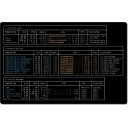
A cross-platform terminal UI for managing Azure PIM. It allows you to view and manage your Azure PIM resources directly from the terminal, providing a convenient and efficient way to interact with Azure PIM without needing to use the Azure portal.
What's new in 0.0.7
Full Changelog:https://github.com/CosX/azure-pim-tui/compare/v0.0.6...v0.0.7
Full Changelog:https://github.com/CosX/azure-pim-tui/compare/v0.0.5...v0.0.6
0.0.5
What's Changed
build(deps):Bump softprops/action-gh-release from 2 to 3 by @dependabot[bot] in https://github.com/CosX/azure-pim-tui/pull/5
build(deps):Bump azure SDK 0.34 + patch updates by @CosX in https://github.com/CosX/azure-pim-tui/pull/11
New Contributors
@CosX made their first contribution in https://github.com/CosX/azure-pim-tui/pull/11
Full Changelog:https://github.com/CosX/azure-pim-tui/compare/v0.0.4...v0.0.5
0.0.3
Frequently asked questions
Is Azure PIM TUI free?
Yes. Azure PIM TUI is free and open-source software released under the MIT license.
What is the latest version of Azure PIM TUI?
The latest version is 0.0.7.
Is it safe to download Azure PIM TUI?
The download button links to the official installer published on github.com, the same file Windows Package Manager installs. You can verify the downloaded file by comparing its SHA-256 checksum with b1bed2bd6617eee46014d3a12d435a9ee83e1252f3a615faae5fe9d39551f8d5.
Which Windows versions does Azure PIM TUI support?
Azure PIM TUI runs on Windows and is available for 64-bit (x64) systems.
How do I uninstall Azure PIM TUI?
Open Settings › Apps › Installed apps, find Azure PIM TUI and select Uninstall. From the command line, run winget uninstall --id=CosX.AzurePimTui -e.
Is there a portable version of Azure PIM TUI?
Yes. Azure PIM TUI is available as a portable ZIP archive (azure-pim-tui-v0.0.7-x86_64-pc-windows-msvc.zip, 64-bit (x64)) that runs without installation. Copy it to any folder or USB drive and run it from there.
Alternatives to Azure PIM TUI
Other Command Line Tools programs for Windows from different developers.