About BeagleEditor
BeagleEditor is a code editor made with Tauri + React + Monaco Editor. It offers so much features such as syntax highlighting (thanks to Monaco Editor)

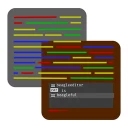
The "beagleful" editor
BeagleEditor is a code editor made with Tauri + React + Monaco Editor. It offers so much features such as syntax highlighting (thanks to Monaco Editor)
BeagleEditor 26.2.0 — Lucid
Overview
BeagleEditor 26.2.0 introduces major improvements in navigation, real-time responsiveness and major new features such as Markdown preview. This release focuses on clarity, speed, and a more unified editing experience.
✨ New Features
• 🌈 Introducing Beagle Themes:Beagle Themes are here to resemble the UI of the editor in Monaco Editor
• 🔍 Quick Open (Fuzzy Search):Quick Open is now updated with Fuzzy Search
• 📝 Markdown Preview (Live Rendering):Preview your Markdown files
• ⚙️ New Settings:New settings are available for the Editor.
• 🎆 New Icon for macOS
⚡ Improvements
• 🚀 Faster and more responsive Quick Open behavior
• 📊 Improved file ranking and empty search handling
• 💾 Better session restoration stability
• 🧩 Improved layout behavior in split view mode
• 📊 Improved Status Bar:Show more information in the Status Bar
Stability
• Fixed a problem that the tab name wouldn't be updated when saving the file
🧠 Notes
BeagleEditor 26.2.0 is a refinement-focused release that improves core workflows rather than adding complexity. The goal is a smoother, more connected editing experience.
🐞 Known Bugs
• You can't scroll explorer
• If you make the window bigger and after that, make it smaller, the editor stay at that bigger size
• File explorer opens multiple times (in all operating systems
| Publisher | BeagleEditor Team |
|---|---|
| Version | 26.2.1 |
| Release date | 2026-06-28 |
| License | MIT |
| Installer type | nullsoft |
| Architecture | x64 |
| Package ID | BeagleEditor.BeagleEditor |
| Install scope | Current user |
winget install --id=BeagleEditor.BeagleEditor -ewinget upgrade --id=BeagleEditor.BeagleEditor -ewinget uninstall --id=BeagleEditor.BeagleEditor -e"beagleeditor_26.2.1_x64-setup.exe" /SSilent install switches for more Windows programs »
Install BeagleEditor together with other apps in one command »
BeagleEditor 26.2.0 — Lucid
Overview
BeagleEditor 26.2.0 introduces major improvements in navigation, real-time responsiveness and major new features such as Markdown preview. This release focuses on clarity, speed, and a more unified editing experience.
✨ New Features
- 🌈 Introducing Beagle Themes: Beagle Themes are here to resemble the UI of the editor in Monaco Editor
- 🔍 Quick Open (Fuzzy Search): Quick Open is now updated with Fuzzy Search
- 📝 Markdown Preview (Live Rendering): Preview your Markdown files
- ⚙️ New Settings: New settings are available for the Editor.
- 🎆 New Icon for macOS
⚡ Improvements
- 🚀 Faster and more responsive Quick Open behavior
- 📊 Improved file ranking and empty search handling
- 💾 Better session restoration stability
- 🧩 Improved layout behavior in split view mode
- 📊 Improved Status Bar: Show more information in the Status Bar
Stability
- Fixed a problem that the tab name wouldn't be updated when saving the file
🧠 Notes
BeagleEditor 26.2.0 is a refinement-focused release that improves core workflows rather than adding complexity. The goal is a smoother, more connected editing experience.
🐞 Known Bugs
- You can't scroll explorer
- If you make the window bigger and after that, make it smaller, the editor stay at that bigger size
- File explorer opens multiple times (in all operating systems
Yes. BeagleEditor is free and open-source software released under the MIT license.
The latest version is 26.2.1, released on Jun 28, 2026.
The download button links to the official installer published on github.com, the same file Windows Package Manager installs. You can verify the downloaded file by comparing its SHA-256 checksum with 6abaebb2774f67eac8c2a528ac1d114760a5c0d9eb5f9fe63d7d8bcd15a34b23.
BeagleEditor runs on Windows and is available for 64-bit (x64) systems.
Run the offline installer with "beagleeditor_26.2.1_x64-setup.exe" /S, or install it with Windows Package Manager: winget install --id=BeagleEditor.BeagleEditor -e --silent.
Open Settings › Apps › Installed apps, find BeagleEditor and select Uninstall. From the command line, run winget uninstall --id=BeagleEditor.BeagleEditor -e.
Other Text Editors programs for Windows from different developers.

Notepad++ is a free source code editor that supports several languages.

Vim is a highly configurable text editor built to make creating and changing any kind of text very efficient

A hackable text editor for the 21st Century, free and open source.

Vim-fork focused on extensibility and usability

Sublime is a sophisticated cross-platform text editor for code, markup and prose.

GNU nano is a small and friendly command-line text editor.