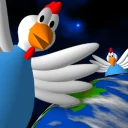
Sometime in the near future, Earth is invaded by chickens from another galaxy, bent on revenge against the human race for oppressing earth chickens! Take the world's fate in your hands (or at least have an omelette) in this modern rendition of the 80's classic. Save the world today!
Yes, Chicken Invaders 1 is free to download and use on Windows.
What is the latest version of Chicken Invaders 1?
The latest version is 2.1, released on Jan 31, 2023.
Is it safe to download Chicken Invaders 1?
The download button links to the official installer published on interactionstudios.com, the same file Windows Package Manager installs. You can verify the downloaded file by comparing its SHA-256 checksum with 188ba12bfd03ba01a6033d8ff1582cc35f4ee599c21c97df976934ad7cfa7c07.
Which Windows versions does Chicken Invaders 1 support?
Chicken Invaders 1 runs on Windows and is available for 32-bit (x86) systems.
How do I install Chicken Invaders 1 silently?
Run the offline installer with "ChickenInvaders1Installer.exe" /VERYSILENT /SUPPRESSMSGBOXES /NORESTART /SP-, or install it with Windows Package Manager: winget install --id=InterActionstudios.ChickenInvaders1 -e --silent.
How do I uninstall Chicken Invaders 1?
Open Settings › Apps › Installed apps, find Chicken Invaders 1 and select Uninstall. From the command line, run winget uninstall --id=InterActionstudios.ChickenInvaders1 -e.
Alternatives to Chicken Invaders 1
Other Utilities programs for Windows from different developers.