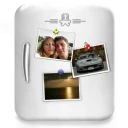
If you love taking pictures of everything around you, then the best way to share it with your friends without disturbing them is to make a beautiful collage. With our Collagerator you can create a collage that collects favorite moments of your life. Using Collagerator we can place 17 photos from a weekend in one picture. Or 22 photos from a wedding. Or 31 photos of a new born baby. Or... What can you do with it?
Yes, Collagerator is free to download and use on Windows.
What is the latest version of Collagerator?
The latest version is 0.9.6, released on Aug 22, 2026.
Is it safe to download Collagerator?
The download button links to the official installer published on mediahuman.com, the same file Windows Package Manager installs. You can verify the downloaded file by comparing its SHA-256 checksum with d8d3bd4e8492928e4d88120d8440401bbaa4a604a1dd13901477c7b05a22dd82.
Which Windows versions does Collagerator support?
Collagerator runs on Windows and is available for 64-bit (x64) systems.
How do I install Collagerator silently?
Run the offline installer with "Collagerator.exe" /VERYSILENT /SUPPRESSMSGBOXES /NORESTART /SP-, or install it with Windows Package Manager: winget install --id=MediaHuman.Collagerator -e --silent.
How do I uninstall Collagerator?
Open Settings › Apps › Installed apps, find Collagerator and select Uninstall. From the command line, run winget uninstall --id=MediaHuman.Collagerator -e.
Alternatives to Collagerator
Other Photography programs for Windows from different developers.