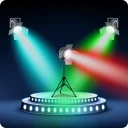
Discotheek - Use your monitor(s) as spotlight Discotheek changes your screen into a night club spotlight. You can use your it to generate multicolor flashes or strobe. Discotheek supports multiple screens. You can run Discotheek on Windows, macOS, Linux and online.
Yes, Discotheek is free to download and use on Windows.
What is the latest version of Discotheek?
The latest version is 1.6.
Is it safe to download Discotheek?
The download button links to the official installer published on japplis.com, the same file Windows Package Manager installs. You can verify the downloaded file by comparing its SHA-256 checksum with a052c1db37cfcd03c860aa084a6bb39b4a924a89263349e023b01a23a91f76ea.
Which Windows versions does Discotheek support?
Discotheek runs on Windows and is available for 64-bit (x64) systems.
How do I install Discotheek silently?
Run the offline installer with "Discotheek-1.6.exe" /VERYSILENT /SUPPRESSMSGBOXES /NORESTART /SP- /ALLUSERS, or install it with Windows Package Manager: winget install --id=Japplis.Discotheek -e --silent.
How do I uninstall Discotheek?
Open Settings › Apps › Installed apps, find Discotheek and select Uninstall. From the command line, run winget uninstall --id=Japplis.Discotheek -e.
Alternatives to Discotheek
Other Measurement programs for Windows from different developers.
DisplayFusion will make your multi-monitor life much easier! With powerful features like Multi-Monitor Taskbars, TitleBar Buttons and fully customizable HotKeys, DisplayFusion will make managing your