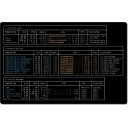
dops is a terminal UI and web UI for browsing, parameterizing, and executing operational runbooks. It supports catalogs of shell-based runbooks with typed parameters, risk levels, encrypted vault storage, an MCP server for AI tool integration, and a built-in web interface.
What's new in 0.13.1
Changelog
795d2d2 Tighten history file permissions and harden loadRecord
d9f7449 Bump go toolchain to 1.26.2 to fix stdlib vulnerabilities
00ac7a7 Re-enable winget publishing and document winget install
d134242 Bump vite from 6.4.1 to 6.4.2 in /web
d4f5c34 Close out v0.12.0: mark spec done, move plan to completed
0.10.0
Frequently asked questions
Is dops free?
Yes. dops is free and open-source software released under the MIT license.
What is the latest version of dops?
The latest version is 0.13.1, released on Apr 9, 2026.
Is it safe to download dops?
The download button links to the official installer published on github.com, the same file Windows Package Manager installs. You can verify the downloaded file by comparing its SHA-256 checksum with 0781d84bb13413cda9ecf61f034d2d54aaa747e2dad5b4486ca0d80bc7838e9a.
Which Windows versions does dops support?
dops runs on Windows and is available for 64-bit (x64), ARM64 systems.
How do I uninstall dops?
Open Settings › Apps › Installed apps, find dops and select Uninstall. From the command line, run winget uninstall --id=RunDops.dops -e.
Is there a portable version of dops?
Yes. dops is available as a portable ZIP archive (dops_0.13.1_windows_amd64.zip, 64-bit (x64)) that runs without installation. Copy it to any folder or USB drive and run it from there.
Alternatives to dops
Other Command Line Tools programs for Windows from different developers.