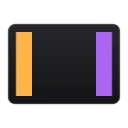
EdgeSlide is a tiny Windows system-tray utility that turns the left and right edge strips of a Precision Touchpad into continuous sliders: slide the left edge to change screen brightness and the right edge to change master volume. It is single-finger only, so normal two-finger scrolling and other gestures pass through untouched, and it ignores edge touches while you are typing. It runs from the system tray with no main window.
Yes. EdgeSlide is free and open-source software released under the MIT license.
What is the latest version of EdgeSlide?
The latest version is 0.2.1, released on Jul 1, 2026.
Is it safe to download EdgeSlide?
The download button links to the official installer published on github.com, the same file Windows Package Manager installs. You can verify the downloaded file by comparing its SHA-256 checksum with ee1c77f080752c7864e6aa15449ce5ea10c26e78fa95f4df31000ff2789af8c8.
Which Windows versions does EdgeSlide support?
EdgeSlide runs on Windows and is available for 64-bit (x64) systems.
How do I uninstall EdgeSlide?
Open Settings › Apps › Installed apps, find EdgeSlide and select Uninstall. From the command line, run winget uninstall --id=PuttingPixelsTogether.EdgeSlide -e.
Is there a portable version of EdgeSlide?
Yes. EdgeSlide is available as a portable program (EdgeSlide-Portable.exe, 64-bit (x64)) that runs without installation. Copy it to any folder or USB drive and run it from there.
Alternatives to EdgeSlide
Other System Utilities programs for Windows from different developers.