About 稿定设计
Compose graphics with templates easily.


Compose graphics with templates easily.
Compose graphics with templates easily.
| Publisher | 稿定厦门科技有限公司 |
|---|---|
| Author | Gaoding (Xiamen) Technology Co., Ltd. |
| Version | 2.0.7 |
| Release date | 2026-09-10 |
| License | Proprietary |
| Installer type | nullsoft |
| Architecture | x64 |
| Package ID | Gaoding.Gaoding |
| Install scope | Current user |
winget install --id=Gaoding.Gaoding -ewinget upgrade --id=Gaoding.Gaoding -ewinget uninstall --id=Gaoding.Gaoding -e"gaoding-setup-win-x64-2.0.7.exe" /S /currentuser稿定设计 is proprietary software from 稿定厦门科技有限公司. Check the publisher's license terms for pricing and usage rights.
The latest version is 2.0.7, released on Sep 10, 2026.
The download button links to the official installer published on cdn.dancf.com, the same file Windows Package Manager installs. You can verify the downloaded file by comparing its SHA-256 checksum with 3e1fbf60e564de6a0c522520b0a3dbad8acf1ca57b598de228ec84b70eb628d1.
稿定设计 runs on Windows and is available for 64-bit (x64) systems.
Run the offline installer with "gaoding-setup-win-x64-2.0.7.exe" /S /currentuser, or install it with Windows Package Manager: winget install --id=Gaoding.Gaoding -e --silent.
Open Settings › Apps › Installed apps, find 稿定设计 and select Uninstall. From the command line, run winget uninstall --id=Gaoding.Gaoding -e.
Other Graphic & Design programs for Windows from different developers.

Free design software that keeps your flow with AI tools and built-in graphics

The Collaborative Interface Design Tool
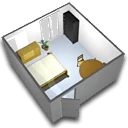
A free interior design application that helps you draw the plan of your house, arrange furniture on it and visit the results in 3D.
Create and review DWF files to easily share detailed 2D and 3D design data

3D Modeling & Drawing

Organize all your reference images in one place