About PartDesigner
Create and edit custom LEGO parts for use in BrickLink Studio.


Create and edit custom LEGO parts for use in BrickLink Studio.
Create and edit custom LEGO parts for use in BrickLink Studio.
| Publisher | BrickLink Corporation |
|---|---|
| Version | 2.25.3 |
| License | Proprietary |
| Installer type | inno |
| Architecture | x64, x86 |
| Package ID | BrickLink.PartDesigner |
| Install scope | All users |
winget install --id=BrickLink.PartDesigner -ewinget upgrade --id=BrickLink.PartDesigner -ewinget uninstall --id=BrickLink.PartDesigner -e"PartDesigner.exe" /VERYSILENT /SUPPRESSMSGBOXES /NORESTART /SP-PartDesigner is proprietary software from BrickLink Corporation. Check the publisher's license terms for pricing and usage rights.
The latest version is 2.25.3.
The download button links to the official installer published on studio.download.bricklink.info, the same file Windows Package Manager installs. You can verify the downloaded file by comparing its SHA-256 checksum with 5ae5a959410638e8babf27d0b54093cd3be63173a1461b69ffd4c4fdf96cbe02.
PartDesigner runs on Windows and is available for 64-bit (x64), 32-bit (x86) systems.
Run the offline installer with "PartDesigner.exe" /VERYSILENT /SUPPRESSMSGBOXES /NORESTART /SP-, or install it with Windows Package Manager: winget install --id=BrickLink.PartDesigner -e --silent.
Open Settings › Apps › Installed apps, find PartDesigner and select Uninstall. From the command line, run winget uninstall --id=BrickLink.PartDesigner -e.
Other Graphic & Design programs for Windows from different developers.

Design virtual models you can build with LEGO(R) bricks
An LDraw editor for LEGO style digital building instructions.

Free design software that keeps your flow with AI tools and built-in graphics

The Collaborative Interface Design Tool
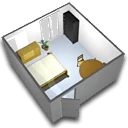
A free interior design application that helps you draw the plan of your house, arrange furniture on it and visit the results in 3D.
Create and review DWF files to easily share detailed 2D and 3D design data

Build, render, and create LEGO instructions. Do it all in Studio 2.0. Intuitive and easy building.

Build with virtual parts, render designs and create instructions.