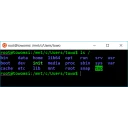
Quick Shell for Run installs only the PowerToys Run plugin (qs command). Save project folders and launch them in Windows Terminal or other shells without installing the full Command Palette extension.
Requires PowerToys with Run enabled. Restart PowerToys after install.
What's new in 0.2.4.0
Smaller CmdPal MSIX (~30 MB) and faster loads. Run plugin ships via QuickShellforRun installers.
Yes. Quick Shell for Run is free and open-source software released under the MIT license.
What is the latest version of Quick Shell for Run?
The latest version is 0.2.4.0, released on Jul 29, 2026.
Is it safe to download Quick Shell for Run?
The download button links to the official installer published on github.com, the same file Windows Package Manager installs. You can verify the downloaded file by comparing its SHA-256 checksum with de2c1d9bf8178487cb691cd59a75e928e112b8d2f1d3f5fccaeb59c7d054b68b.
Which Windows versions does Quick Shell for Run support?
Quick Shell for Run requires Windows 10 version 2004 or later and is available for 64-bit (x64), ARM64 systems.
How do I install Quick Shell for Run silently?
Run the offline installer with "QuickShellforRun-Setup-0.2.4.0-x64.exe" /VERYSILENT /SUPPRESSMSGBOXES /NORESTART /SP-, or install it with Windows Package Manager: winget install --id=tonythethompson.QuickShellforRun -e --silent.
How do I uninstall Quick Shell for Run?
Open Settings › Apps › Installed apps, find Quick Shell for Run and select Uninstall. From the command line, run winget uninstall --id=tonythethompson.QuickShellforRun -e.
Alternatives to Quick Shell for Run
Other Command Line Tools programs for Windows from different developers.