About Sonic Robo Blast 2 Kart
SRB2Kart is a classic styled kart racer, complete with beautiful courses, and wacky items.

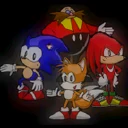
SRB2Kart is a classic styled kart racer, complete with beautiful courses, and wacky items.
SRB2Kart is a classic styled kart racer, complete with beautiful courses, and wacky items.
Headline changes
- Reduced visual jitter under unstable network conditions.
- The software renderer has gotten a significant performance boost!
- Specifically beneficial on maps with busy visuals (many objects, midtextures, and segs visible at once).
- One playtester with a slower computer reported "Avant Garden Classic", a community-created map with a reputation for bad performance, went from unplayable to a little under 35fps!
- Controller input has been updated to use the SDL Game Controller API.
- The game now supports a wider selection of controllers, including Xinput and Switch.
- Controller axes now have easier-to-identify names.
- D-Pad buttons are now considered hat switches.
- Known issue:
Mayflash GameCube controller adapters are not correctly supported.
- Delay measurements are now more accurate.
- If the client has caught up to the server (say, during a screen transition), don't report an extremely large delay.
- Fix an off-by-one error that slightly underestimated client delay.
- Don't include holepunch time when measuring server ping.
- The in-game server browser has been improved.
- Retries getting info multiple times; consistently reaches a few more servers in testing.
- Clear the server list when entering the menu and when refreshing.
- Create a "status line" that displays:
- When the game is checking for an update or loading the server list from the master server (removed the blue message box)
- How many servers are available and how many the game is trying to contact.
- If there are no servers available (no longer displays below the horizontal line)
- Slide the server list left and right when switching pages.
- The map command now supports using level titles, whether partial or in full.
- This feature was previously available in multiple community-created builds.
Interpolation changes
- Fix a number of circumstances which could cause the screen to violently vibrate in Software mode.
- Visual portals, such as in Fakery Way.
- First-person mode in replays.
- Player teleports will now adjust camera interpolation as needed.
- Custom Lua HUDs will no longer flicker with both splitscreen and interpolation.
Changes for online servers
- Client timeout has become a little stricter.
- If a client has fallen so far behind that the server is about to freeze (approximately 8 seconds), assume the lagging player is unlikely to recover and remove them.
- Reduce the grace period where lagging clients won't get kicked to 10 seconds (from 30). …
| Publisher | SonicTeamJr |
|---|---|
| Version | 1.6 |
| Release date | 2022-11-04 |
| License | GPL-2.0 |
| Installer type | exe |
| Architecture | x86 |
| Package ID | SonicTeamJr.SonicRoboBlast2Kart |
winget install --id=SonicTeamJr.SonicRoboBlast2Kart -ewinget upgrade --id=SonicTeamJr.SonicRoboBlast2Kart -ewinget uninstall --id=SonicTeamJr.SonicRoboBlast2Kart -e"srb2kart-v16-Installer.exe" /sYes. Sonic Robo Blast 2 Kart is free and open-source software released under the GPL-2.0 license.
The latest version is 1.6, released on Nov 4, 2022.
The download button links to the official installer published on github.com, the same file Windows Package Manager installs. You can verify the downloaded file by comparing its SHA-256 checksum with 1b3d86aa599de11e58d6a8595e115e896a89ef18db90a783bbc0f7f2503fc53f.
Sonic Robo Blast 2 Kart runs on Windows and is available for 32-bit (x86) systems.
Run the offline installer with "srb2kart-v16-Installer.exe" /s, or install it with Windows Package Manager: winget install --id=SonicTeamJr.SonicRoboBlast2Kart -e --silent.
Open Settings › Apps › Installed apps, find Sonic Robo Blast 2 Kart and select Uninstall. From the command line, run winget uninstall --id=SonicTeamJr.SonicRoboBlast2Kart -e.
Other Utilities programs for Windows from different developers.

Armagetron is a multiplayer game in 3D that attempts to emulate and expand on the lightcycle sequence from the movie Tron. It's an old school arcade game slung into the 21st century.
All environment types from TrackMania 1, Sunrise, and Nations Forever, united in one game.
Survival racing game developed by students at DigiPen

A serious racing simulator. No arcade modes, no steering aids - YOU have to do the driving.
A collection of small computer programs which implement one-player puzzle games.
Freeciv is a Free and Open Source empire-building strategy game inspired by the history of human civilization.