About Stellar TUI
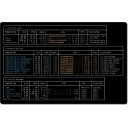
A keyboard-driven terminal UI for selecting Unreal projects, configuring engine paths, and running builds.

Terminal UI for managing and building Unreal Engine projects.
A keyboard-driven terminal UI for selecting Unreal projects, configuring engine paths, and running builds.
| Publisher | Thornvald |
|---|---|
| Version | 0.92.3 |
| Release date | 2026-02-17 |
| License | Proprietary |
| Installer type | inno |
| Architecture | x64 |
| Package ID | Thornvald.StellarTUI |
| Install scope | Current user |
winget install --id=Thornvald.StellarTUI -ewinget upgrade --id=Thornvald.StellarTUI -ewinget uninstall --id=Thornvald.StellarTUI -e"Stellar-setup-0.92.3.exe" /VERYSILENT /SUPPRESSMSGBOXES /NORESTART /SP-Silent install switches for more Windows programs »
Install Stellar TUI together with other apps in one command »
Stellar TUI is proprietary software from Thornvald. Check the publisher's license terms for pricing and usage rights.
The latest version is 0.92.3, released on Feb 17, 2026.
The download button links to the official installer published on github.com, the same file Windows Package Manager installs. You can verify the downloaded file by comparing its SHA-256 checksum with b93aae51303a4757815dbc1c7ad469679dfec8ab54c052b5fab09df12a6b9fe5.
Stellar TUI runs on Windows and is available for 64-bit (x64) systems.
Run the offline installer with "Stellar-setup-0.92.3.exe" /VERYSILENT /SUPPRESSMSGBOXES /NORESTART /SP-, or install it with Windows Package Manager: winget install --id=Thornvald.StellarTUI -e --silent.
Open Settings › Apps › Installed apps, find Stellar TUI and select Uninstall. From the command line, run winget uninstall --id=Thornvald.StellarTUI -e.
Other Command Line Tools programs for Windows from different developers.

Yet another cross-platform graphical process/system monitor.
Disk Usage/Free Utility - a better 'df' alternative

Terminal UI for winget on Windows.

A beautiful real-time TUI network monitor for Windows — built in Rust

A keyboard-driven dual-panel terminal file manager with a classic dual-pane workflow and modern extras.

A terminal-based explorer for Azure Service Bus