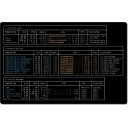
TLegado brings the Legado (Eread) 3.0 reading experience to the terminal. Built with Rust and ratatui, it offers a polished TUI with comfortable interaction. It consumes Legado JSON book sources: after importing sources you can search across sources, explore categories, switch sources, and apply content sanitization, while reading progress, shelf groups, and preferences are saved automatically. It imports local TXT and EPUB books, supports custom sanitizing rules (including sandboxed QuickJS scripts), reading preferences, and Legado readConfig import. Data is stored in .tlegado under the user directory by default, configurable via TLEGADO_DATA_DIR or --data-dir; the CLI supports --import-source, --import-book, and related options.
Yes. TLegado is free and open-source software released under the MIT license.
What is the latest version of TLegado?
The latest version is 0.3.0, released on Oct 2, 2026.
Is it safe to download TLegado?
The download button links to the official installer published on github.com, the same file Windows Package Manager installs. You can verify the downloaded file by comparing its SHA-256 checksum with d0355c1c4af1ca36d8ba8cef8c5ee23a3f4bc9a64aa00c6a91804e5dd67f3e2f.
Which Windows versions does TLegado support?
TLegado runs on Windows and is available for 64-bit (x64) systems.
How do I uninstall TLegado?
Open Settings › Apps › Installed apps, find TLegado and select Uninstall. From the command line, run winget uninstall --id=WEP-56.Tlegado -e.
Is there a portable version of TLegado?
Yes. TLegado is available as a portable program (tlegado-win32-x64.exe, 64-bit (x64)) that runs without installation. Copy it to any folder or USB drive and run it from there.
Alternatives to TLegado
Other Command Line Tools programs for Windows from different developers.