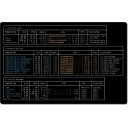
Tmux Plugin Panel is a TUI plugin manager for tmux, providing a complete graphical interface to browse, install, remove, update, and theme your tmux setup. Ships with tmuxpanel, tmuxplugins, and tmuxthemes commands. Supports both tmux (Linux/macOS) and PSMux (Windows).
Yes. tmuxpanel is free and open-source software released under the MIT license.
What is the latest version of tmuxpanel?
The latest version is 0.1.1.
Is it safe to download tmuxpanel?
The download button links to the official installer published on github.com, the same file Windows Package Manager installs. You can verify the downloaded file by comparing its SHA-256 checksum with 45fdb567de2551b2990c608e1927fda3a1945f06b7c0208e21420c974ee28a7f.
Which Windows versions does tmuxpanel support?
tmuxpanel requires Windows 10 or later and is available for 64-bit (x64), 32-bit (x86), ARM64 systems.
How do I uninstall tmuxpanel?
Open Settings › Apps › Installed apps, find tmuxpanel and select Uninstall. From the command line, run winget uninstall --id=marlocarlo.tmuxpanel -e.
Is there a portable version of tmuxpanel?
Yes. tmuxpanel is available as a portable ZIP archive (tmuxpanel-v0.1.1-windows-x64.zip, 64-bit (x64)) that runs without installation. Copy it to any folder or USB drive and run it from there.
Alternatives to tmuxpanel
Other Command Line Tools programs for Windows from different developers.