About Tremulous
The game features two opposing teams: humans and aliens. Each team must attack the enemy’s base and team members while defending their own base.

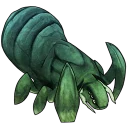
Free and open source asymmetric team-based first-person shooter with real-time strategy elements.
The game features two opposing teams: humans and aliens. Each team must attack the enemy’s base and team members while defending their own base.
Changes since v1.3.0-alpha.0.15.1:
- Assets load bugfix
- Removed assets out of code repo and download during build
- Improved packaging and naming of release files
- Github Actions build all platforms in one workflow with less repeated code
- For Linux Arm64 build, please check out our Flatpak beta and Snap (beta channel) releases.
Full Changelog since last major release v1.3.0-alpha.0.14: https://github.com/GrangerHub/tremulous/compare/v1.3.0-alpha.0.14...v1.3.0-alpha.0.15.2
| Publisher | GrangerHub |
|---|---|
| Author | Cengiz Gunay |
| Version | 1.3.0-alpha.0.15.2 |
| Release date | 2026-01-08 |
| License | GPL-3.0 and CC-BY-SA-2.5 |
| Installer type | zip |
| Architecture | x64 |
| Package ID | GrangerHub.Tremulous |
winget install --id=GrangerHub.Tremulous -ewinget upgrade --id=GrangerHub.Tremulous -ewinget uninstall --id=GrangerHub.Tremulous -eYes. Tremulous is free and open-source software released under the GPL-3.0 and CC-BY-SA-2.5 license.
The latest version is 1.3.0-alpha.0.15.2, released on Jan 8, 2026.
The download button links to the official installer published on github.com, the same file Windows Package Manager installs. You can verify the downloaded file by comparing its SHA-256 checksum with 59aa519cbab962d32c28903bf7213387f2bb1ba13a2eb0f71955b577e22fde48.
Tremulous runs on Windows and is available for 64-bit (x64) systems.
Open Settings › Apps › Installed apps, find Tremulous and select Uninstall. From the command line, run winget uninstall --id=GrangerHub.Tremulous -e.
Yes. Tremulous is available as a portable ZIP archive (tremulous-v1.3.0-alpha.0.15.2-Windows32.zip, 64-bit (x64)) that runs without installation. Copy it to any folder or USB drive and run it from there.
Other Utilities programs for Windows from different developers.
Semi-realistic first-person shooter based on the Cube engine
Face an alien army invasion at a space base.
Red Eclipse is a fun-filled new take on the first person arena shooter, featuring parkour, impulse boosts, and more.

A 5v5 character-based tactical shooter

A 5v5 character-based tactical shooter

A 5v5 character-based tactical shooter