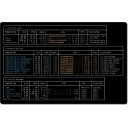
vivid is a generator for the LS_COLORS environment variable that controls the colorized output of ls, tree, fd, bfs, dust and many other tools.
It uses a YAML configuration format for the filetype-database and the color themes. In contrast to dircolors, the database and the themes are organized in different files. This allows users to choose and customize color themes independent from the collection of file extensions. Instead of using cryptic ANSI escape codes, colors can be specified in the RRGGBB format and will be translated to either truecolor (24-bit) ANSI codes or 8-bit codes for older terminal emulators.
What's new in 0.11.1
What's Changed - Fix that the release was reporting the wrong version id by @rpdelaney in #195 Full Changelog: v0.11.0...v0.11.1
Yes. vivid is free and open-source software released under the Apache-2.0 license.
What is the latest version of vivid?
The latest version is 0.11.1, released on Apr 9, 2026.
Is it safe to download vivid?
The download button links to the official installer published on github.com, the same file Windows Package Manager installs. You can verify the downloaded file by comparing its SHA-256 checksum with 2bc2700c9cae57c43c6abbb1063e755977972b81e8eb34f266750aabd02a9cf1.
Which Windows versions does vivid support?
vivid runs on Windows and is available for 64-bit (x64), 32-bit (x86) systems.
How do I uninstall vivid?
Open Settings › Apps › Installed apps, find vivid and select Uninstall. From the command line, run winget uninstall --id=sharkdp.vivid -e.
Is there a portable version of vivid?
Yes. vivid is available as a portable ZIP archive (vivid-v0.11.1-x86_64-pc-windows-msvc.zip, 64-bit (x64)) that runs without installation. Copy it to any folder or USB drive and run it from there.
Alternatives to vivid
Other Command Line Tools programs for Windows from different developers.