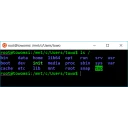
wslm is a single self-contained terminal UI (Rust + ratatui) to manage WSL distributions on Windows from one screen: list distros with state, version and on-disk size; start/stop them; open shells inline or in a new Windows Terminal tab; watch live WSL VM memory/CPU gauges with sparklines; do managed export/import (tar/vhdx); install distros from the online catalog; and edit .wslconfig / wsl.conf. State detection is locale-independent and there is no telemetry.
Yes. wslm is free and open-source software released under the MIT OR Apache-2.0 license.
What is the latest version of wslm?
The latest version is 1.0.0, released on Jun 8, 2026.
Is it safe to download wslm?
The download button links to the official installer published on github.com, the same file Windows Package Manager installs. You can verify the downloaded file by comparing its SHA-256 checksum with 2596571a3d40e415aa23da9b60facdf132a208fe501a1598c8dcd2a6ce7e8b41.
Which Windows versions does wslm support?
wslm requires Windows 10 or later and is available for 64-bit (x64) systems.
How do I uninstall wslm?
Open Settings › Apps › Installed apps, find wslm and select Uninstall. From the command line, run winget uninstall --id=NakabaLab.wslm -e.
Is there a portable version of wslm?
Yes. wslm is available as a portable program (wslm-x86_64-pc-windows-msvc.exe, 64-bit (x64)) that runs without installation. Copy it to any folder or USB drive and run it from there.
Alternatives to wslm
Other Command Line Tools programs for Windows from different developers.