About YTuff
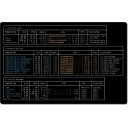
YTuff is a terminal music player for local files and YouTube Music with a full TUI, background playback daemon, playlists, downloads, lyrics, artwork, media controls, and local library scanning.


Terminal music player for local files and YouTube Music.
YTuff is a terminal music player for local files and YouTube Music with a full TUI, background playback daemon, playlists, downloads, lyrics, artwork, media controls, and local library scanning.
| Publisher | Harsh Jha |
|---|---|
| Version | 1.0.4 |
| Release date | 2026-05-09 |
| License | GPL-3.0-or-later |
| Installer type | msi |
| Architecture | x64 |
| Package ID | HarshJha.YTuff |
| Install scope | All users |
winget install --id=HarshJha.YTuff -ewinget upgrade --id=HarshJha.YTuff -ewinget uninstall --id=HarshJha.YTuff -emsiexec /i "ytuff-windows-x64.msi" /quiet /norestartmsiexec /x {439A181C-FA7B-41F7-94BF-151B0735FD5F} /quietYes. YTuff is free and open-source software released under the GPL-3.0-or-later license.
The latest version is 1.0.4, released on May 9, 2026.
The download button links to the official installer published on github.com, the same file Windows Package Manager installs. You can verify the downloaded file by comparing its SHA-256 checksum with 2b0f2396bf06a92794c5f3ef9fc088c596d5b9bce50d6ae43c6e56896f8cab11.
YTuff runs on Windows and is available for 64-bit (x64) systems.
Run the offline installer with msiexec /i "ytuff-windows-x64.msi" /quiet /norestart, or install it with Windows Package Manager: winget install --id=HarshJha.YTuff -e --silent.
Open Settings › Apps › Installed apps, find YTuff and select Uninstall. From the command line, run winget uninstall --id=HarshJha.YTuff -e.
Other Command Line Tools programs for Windows from different developers.

A Spotify player in the terminal with full feature parity

A terminal-based music player that searches, streams audio, and supports downloads.

Lean terminal DJ app for electronic music.

A Spotify client for the terminal written in Rust, powered by Ratatui

Yet another cross-platform graphical process/system monitor.
Disk Usage/Free Utility - a better 'df' alternative