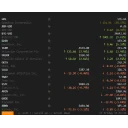
AptiStockX is a cross-platform desktop stock charting and portfolio research app with a global symbol catalog, local watchlists, chart workspaces, technical indicators, drawing studies, portfolio tracking, and downloadable market data.
What's new in 3.1.0
AptiStockX 3.1 adds global market support with a searchable symbol catalog and dockable Global Market Stock Viewer, verified catalog updates, new line-study tools, and chart-rendering fixes.
AptiStockX 3.0 is the public cross-platform release for Windows, macOS, and Linux. This version includes local watchlists, chart workspaces, technical indicators, drawing studies, portfolio tracking, downloadable market data workflows, and Basic/Pro licensing.
Frequently asked questions
Is AptiStockX free?
AptiStockX is proprietary software from AptiStock LLC. Check the publisher's license terms for pricing and usage rights.
What is the latest version of AptiStockX?
The latest version is 3.1.0.
Is it safe to download AptiStockX?
The download button links to the official installer published on downloads.aptistock.com, the same file Windows Package Manager installs. You can verify the downloaded file by comparing its SHA-256 checksum with f496d7e587579fa3c7e863e35e97fd5ed87401471020cc8bd52b817adf3e356a.
Which Windows versions does AptiStockX support?
AptiStockX runs on Windows and is available for 64-bit (x64) systems.
How do I install AptiStockX silently?
Run the offline installer with "AptiStockX-3.1.0-Windows-x64-Setup.exe" /VERYSILENT /SUPPRESSMSGBOXES /NORESTART /SP-, or install it with Windows Package Manager: winget install --id=AptiStock.AptiStockX -e --silent.
How do I uninstall AptiStockX?
Open Settings › Apps › Installed apps, find AptiStockX and select Uninstall. From the command line, run winget uninstall --id=AptiStock.AptiStockX -e.
Alternatives to AptiStockX
Other Finance programs for Windows from different developers.