About Caramba Switcher
Caramba Switcher is a smart automatic keyboard layout switcher from the creator of Punto Switcher. It is an indispensable tool for those who constantly have to work with text.

A smart automatic keyboard layout switcher.
Caramba Switcher is a smart automatic keyboard layout switcher from the creator of Punto Switcher. It is an indispensable tool for those who constantly have to work with text.
| Publisher | Sergey Moskalev |
|---|---|
| Version | 2026.10.27.1 |
| Release date | 2026-10-27 |
| License | Proprietary |
| Installer type | inno |
| Architecture | x64 |
| Package ID | SergeyMoskalev.CarambaSwitcher |
| Install scope | All users |
winget install --id=SergeyMoskalev.CarambaSwitcher -ewinget upgrade --id=SergeyMoskalev.CarambaSwitcher -ewinget uninstall --id=SergeyMoskalev.CarambaSwitcher -e"CarambaSwitcherClassicSetup-latest.exe" /VERYSILENT /SUPPRESSMSGBOXES /NORESTART /SP-Caramba Switcher is proprietary software from Sergey Moskalev. Check the publisher's license terms for pricing and usage rights.
The latest version is 2026.10.27.1, released on Oct 27, 2026.
The download button links to the official installer published on cdn.caramba-switcher.com, the same file Windows Package Manager installs. You can verify the downloaded file by comparing its SHA-256 checksum with 003788cfe06620a7da99b4e3389e7d766881292b2ad8d5ecc4bcd39a9c09d6a3.
Caramba Switcher runs on Windows and is available for 64-bit (x64) systems.
Run the offline installer with "CarambaSwitcherClassicSetup-latest.exe" /VERYSILENT /SUPPRESSMSGBOXES /NORESTART /SP-, or install it with Windows Package Manager: winget install --id=SergeyMoskalev.CarambaSwitcher -e --silent.
Open Settings › Apps › Installed apps, find Caramba Switcher and select Uninstall. From the command line, run winget uninstall --id=SergeyMoskalev.CarambaSwitcher -e.
Other Keyboards programs for Windows from different developers.
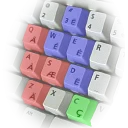
QWERTY keyboard layout with extra symbols and diacritics for French.
Remaps your keyboard to a more comfortable layout, also when programming
The European Keyboard Layout

Workman keyboard layout

A tray toolkit for your keyboard and desktop: the live layout at the caret, one-key fixes for wrong-layout text, screen capture and optional text tools.
The Philippines Unicode Keyboard Layout (PH-UKL) is the first Unicode keyboard layout for Philippine languages with ₱eso and Baybayin (ᜊᜌ᜔ᜊᜌᜒᜈ᜔) support.