

Streamlined media experience for free
Media Player Classic (MPC) for Windows is a free, open-source multimedia player designed for seamless playback of a wide range of audio and video formats. Known for its lightweight design and minimal system resource usage, MPC delivers a hassle-free media experience without requiring additional codecs or plugins.
Originally developed by Gabest and first released in 2003, Media Player Classic quickly gained popularity for its simplicity and efficiency. While the original version was discontinued in 2006, a dedicated community of developers revived and maintained the software, ensuring continued updates and enhancements for Windows users.
Media Player Classic (MPC) is a lightweight yet powerful media player that supports a vast range of file formats, including AVI, MP4, MKV, MOV, and MP3, without requiring extra codec packs. This seamless playback capability makes it a reliable choice for users who want a plug-and-play experience without additional installations. Whether for movies, music, or streaming content, MPC ensures smooth performance with minimal system impact.
Feature-rich media playback
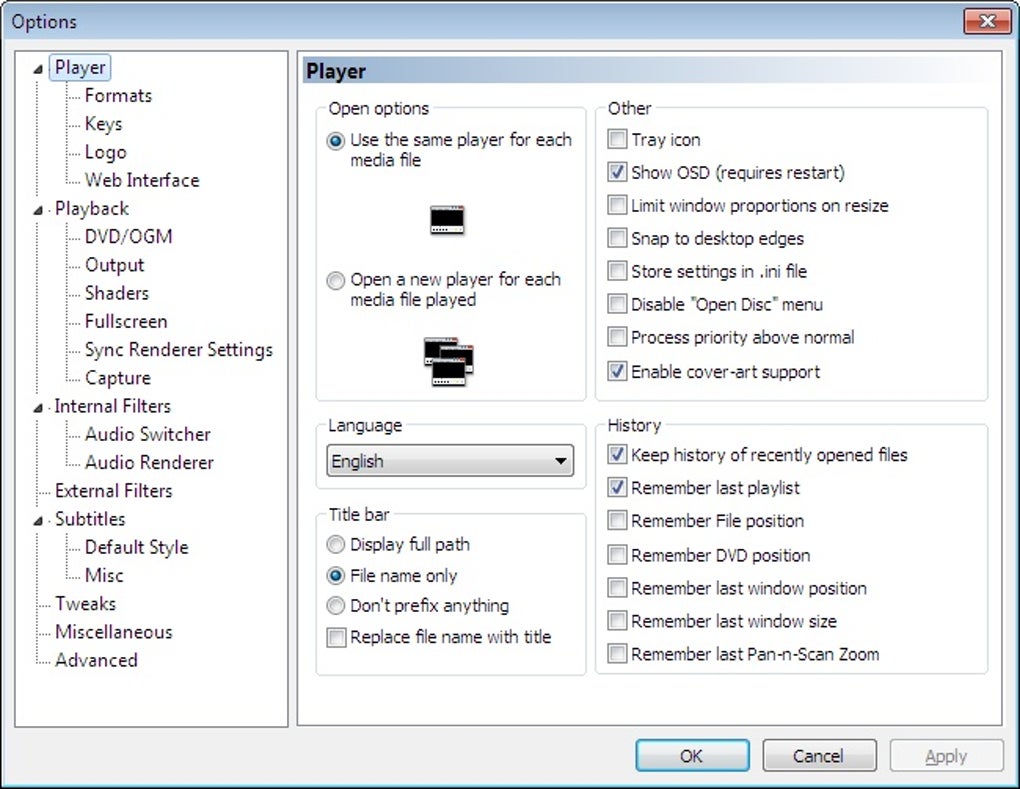
Beyond format compatibility, MPC supports key audio and video codecs like H.264, H.265, and VP9, enabling high-quality playback without external software. Users can customize their experience with themes, skins, and hotkeys, making navigation and playback control more intuitive. Additionally, full-screen mode and playlist management tools allow users to create and organize their media collections with ease, enhancing both convenience and usability.
The player also provides adjustable audio and video settings, allowing users to modify balance, equalizer levels, brightness, contrast, and saturation for an optimized viewing and listening experience. Although the project was discontinued in 2017, some community-maintained versions exist, though with security risks. For a modern, actively supported alternative, users may consider VLC Media Player, which continues to receive regular updates and improvements.
Is VLC better than Media Player Classic?
While both programs are legendary in the open-source community, the choice between them depends on your specific needs. VLC Media Player is often considered superior for cross-platform users, whereas Media Player Classic is strictly limited to Windows. VLC also boasts more advanced streaming features and a more robust development cycle. However, MPC remains the king of low resource consumption, offering a snappier experience on aging hardware.
Pros
- Support for various codecs
- Customization options
- Full-screen playback and playlist creation
- Broad format support
Cons
- Discontinued development
- Security risks