About nitui
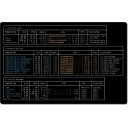
CLI and TUI for controlling Nitrado game servers


CLI and TUI for controlling Nitrado game servers
CLI and TUI for controlling Nitrado game servers
Changelog
| Publisher | ShifuRain |
|---|---|
| Author | Nicklas Hoppe |
| Version | 1.1.0 |
| Release date | 2026-10-17 |
| License | MIT |
| Installer type | zip |
| Architecture | arm64, x64 |
| Package ID | ShifuRain.nitui |
winget install --id=ShifuRain.nitui -ewinget upgrade --id=ShifuRain.nitui -ewinget uninstall --id=ShifuRain.nitui -eChangelog
Yes. nitui is free and open-source software released under the MIT license.
The latest version is 1.1.0, released on Oct 17, 2026.
The download button links to the official installer published on github.com, the same file Windows Package Manager installs. You can verify the downloaded file by comparing its SHA-256 checksum with b2a24b420c32642d894bbb05e9d723de78928232a5be92c1c2f9815801fc0d86.
nitui runs on Windows and is available for ARM64, 64-bit (x64) systems.
Open Settings › Apps › Installed apps, find nitui and select Uninstall. From the command line, run winget uninstall --id=ShifuRain.nitui -e.
Yes. nitui is available as a portable ZIP archive (nitui_1.1.0_windows_amd64.zip, 64-bit (x64)) that runs without installation. Copy it to any folder or USB drive and run it from there.
Other Command Line Tools programs for Windows from different developers.

Yet another cross-platform graphical process/system monitor.
Disk Usage/Free Utility - a better 'df' alternative

A cross-platform TUI for managing Azure PIM.

A live, animated system monitor for the Windows terminal.

A cross-platform, fast and extensible general purpose fuzzy finder TUI.

A beautiful, privacy-friendly CLI tool to analyze and unsubscribe from newsletters.