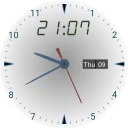
SAO Utils provides you a customizable Full-Dive 3D app launcher with varieties of themes, desktop widgets and powerful utilities. In built-in stereo mode, you can even browse multiple web pages in the same time inside the cool launcher virtual space with stereo displays. Its pluggable architecture allows you, the developer, to add any kinds of plug-ins to the core program.
What's new in 0.5.2.12300
Fix program hangs after locking or hibernating.
Rebuild with Qt 5.12.2 / MSVC 2019 / VC-LTL 4.0.1.3.
Yes, SAO Utils is free to download and use on Windows.
What is the latest version of SAO Utils?
The latest version is 0.5.2.12300, released on May 5, 2019.
Is it safe to download SAO Utils?
The download button links to the official installer published on github.com, the same file Windows Package Manager installs. You can verify the downloaded file by comparing its SHA-256 checksum with fbd70f33b60c90928795756712a586c5d6bd7908b985242a9c2483c3632e74b7.
Which Windows versions does SAO Utils support?
SAO Utils requires Windows 10 or later and is available for 64-bit (x64) systems.
How do I install SAO Utils silently?
Run the offline installer with "sao_utils_exp1_update2.exe" /VERYSILENT /SUPPRESSMSGBOXES /NORESTART /SP-, or install it with Windows Package Manager: winget install --id=GPBeta.SAOUtils.Exp -e --silent.
How do I uninstall SAO Utils?
Open Settings › Apps › Installed apps, find SAO Utils and select Uninstall. From the command line, run winget uninstall --id=GPBeta.SAOUtils.Exp -e.
Alternatives to SAO Utils
Other Themes programs for Windows from different developers.