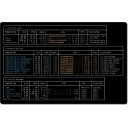
Sifty is an AI-assisted Windows maintenance tool. It cleans junk, analyzes disks, finds duplicates, manages installed apps and startup programs, applies updates via winget, prunes developer artifacts, and organizes files - from a scriptable CLI or a full-screen terminal UI. Deletions are dry-run by default and go to the Recycle Bin; the optional AI assistant runs locally via Ollama.
Technical details
Publisher
Amine Zouaoui
Version
0.9.0
Release date
2026-09-16
License
MIT
Installer type
portable
Architecture
x64
Package ID
Vortrix5.Sifty
Install Sifty from the command line
Install with Windows Package Manager
winget install --id=Vortrix5.Sifty -e
Update to the latest version
winget upgrade --id=Vortrix5.Sifty -e
Uninstall
winget uninstall --id=Vortrix5.Sifty -e
Sifty adds this command to the command line: sifty.
Yes. Sifty is free and open-source software released under the MIT license.
What is the latest version of Sifty?
The latest version is 0.9.0, released on Sep 16, 2026.
Is it safe to download Sifty?
The download button links to the official installer published on github.com, the same file Windows Package Manager installs. You can verify the downloaded file by comparing its SHA-256 checksum with 28d796002f00687778a33dcd67616969de5d886a6c0e1698ee6de9375a11ffd6.
Which Windows versions does Sifty support?
Sifty runs on Windows and is available for 64-bit (x64) systems.
How do I uninstall Sifty?
Open Settings › Apps › Installed apps, find Sifty and select Uninstall. From the command line, run winget uninstall --id=Vortrix5.Sifty -e.
Is there a portable version of Sifty?
Yes. Sifty is available as a portable program (sifty.exe, 64-bit (x64)) that runs without installation. Copy it to any folder or USB drive and run it from there.
Alternatives to Sifty
Other Command Line Tools programs for Windows from different developers.