About SketchUp 2023
SketchUp is a premier 3D design software that makes 3D modeling & drawing accessible and empowers you with a robust toolset where you can create whatever you can imagine.

 Download for Windows
SketchUp is a premier 3D design software that makes 3D modeling & drawing accessible and empowers you with a robust toolset where you can create whatever you can imagine.
SketchUp Release Notes
Bug fixes / small features added
- (Win) Fixed a crash that could occur when changing scenes while Scan Essentials is activated.
- (Win) Fixed an issue where copying and pasting between two open SketchUp instances did not work.
- (Win) Fixed an issue where shortcuts for special characters did not work properly.
- (Win) Fixed an issue where non-alphanumeric keyboard layouts do not trigger shortcuts.
- (Win) Fixed an issue where the color wheel was responding inaccurately to clicks.
- The disc perimeter of an existing snap is now highlighted on hover when in Snap Modify or Erase mode.
LayOut Release Notes
Bug fixes / small features added
- The default settings for Render Override is now off for existing files that were not not previously opened and saved in 2023.1
- Fixed an issue where LayOut would require a re-render of a SketchUp model viewport at random times.
- Fixed an issue where autotext labels linked to viewports were not updating to reflect changes made to the viewport model.
| Publisher | Trimble, Inc. |
|---|---|
| Author | Trimble Inc. |
| Version | 23.1.340 |
| Release date | 2023-10-10 |
| License | Proprietary |
| Installer type | exe |
| Architecture | x64 |
| Package ID | Trimble.SketchUp.2023 |
| Install scope | All users |
winget install --id=Trimble.SketchUp.2023 -ewinget upgrade --id=Trimble.SketchUp.2023 -ewinget uninstall --id=Trimble.SketchUp.2023 -e"SketchUpStudio-2023-1-340-117.exe" /silent"SketchUpStudio-2023-1-340-117.exe" /INSTALLDIR="D:\Apps\SketchUp 2023"msiexec /x {5a2cfe94-23d3-11ed-861d-0242ac120017} /quietSketchUp 2023 can open or be associated with 6 file types:
SketchUp 2023 is proprietary software from Trimble, Inc.. Check the publisher's license terms for pricing and usage rights.
The latest version is 23.1.340, released on Oct 10, 2023.
The download button links to the official installer published on download.sketchup.com, the same file Windows Package Manager installs. You can verify the downloaded file by comparing its SHA-256 checksum with ffd7573a2e9d8820069f22591075373c020cf79027a8e5325580708d52b94237.
SketchUp 2023 runs on Windows and is available for 64-bit (x64) systems.
Run the offline installer with "SketchUpStudio-2023-1-340-117.exe" /silent, or install it with Windows Package Manager: winget install --id=Trimble.SketchUp.2023 -e --silent.
Open Settings › Apps › Installed apps, find SketchUp 2023 and select Uninstall. From the command line, run winget uninstall --id=Trimble.SketchUp.2023 -e.
SketchUp 2023 supports 6 file types, including .layout, .rbz, .skb, .skm, .skp, .style.
Other Graphic & Design programs for Windows from different developers.

Free design software that keeps your flow with AI tools and built-in graphics

The Collaborative Interface Design Tool
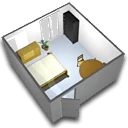
A free interior design application that helps you draw the plan of your house, arrange furniture on it and visit the results in 3D.
Create and review DWF files to easily share detailed 2D and 3D design data

Organize all your reference images in one place

Model your software architecture with StarUML

3D Modeling & Drawing
WinEst is professional construction estimating software designed for contractors to create detailed cost estimates, manage bids, and improve project profitability.

3D Modeling & Drawing

3D Modeling & Drawing