About SketchUp 2026
SketchUp is a premier 3D design software that makes 3D modeling & drawing accessible and empowers you with a robust toolset where you can create whatever you can imagine.

 Download for Windows
SketchUp is a premier 3D design software that makes 3D modeling & drawing accessible and empowers you with a robust toolset where you can create whatever you can imagine.
| Publisher | Trimble, Inc. |
|---|---|
| Author | Trimble Inc. |
| Version | 26.2.243 |
| License | Proprietary |
| Installer type | exe |
| Architecture | x64 |
| Package ID | Trimble.SketchUp.2026 |
| Install scope | All users |
winget install --id=Trimble.SketchUp.2026 -ewinget upgrade --id=Trimble.SketchUp.2026 -ewinget uninstall --id=Trimble.SketchUp.2026 -e"SketchUp-2026-2-243-76.exe" /silent"SketchUp-2026-2-243-76.exe" /INSTALLDIR="D:\Apps\SketchUp 2026"msiexec /x {bf48c79b-90c4-5ce8-8235-2a1dec3593bf} /quietSketchUp 2026 can open or be associated with 6 file types:
SketchUp 2026 is proprietary software from Trimble, Inc.. Check the publisher's license terms for pricing and usage rights.
The latest version is 26.2.243.
The download button links to the official installer published on download.sketchup.com, the same file Windows Package Manager installs. You can verify the downloaded file by comparing its SHA-256 checksum with ce889af6ad084e01c59a43ba121f7bfbe52e77736ed32cfebade166aecfffc5a.
SketchUp 2026 runs on Windows and is available for 64-bit (x64) systems.
Run the offline installer with "SketchUp-2026-2-243-76.exe" /silent, or install it with Windows Package Manager: winget install --id=Trimble.SketchUp.2026 -e --silent.
Open Settings › Apps › Installed apps, find SketchUp 2026 and select Uninstall. From the command line, run winget uninstall --id=Trimble.SketchUp.2026 -e.
SketchUp 2026 supports 6 file types, including .layout, .rbz, .skb, .skm, .skp, .style.
Other Graphic & Design programs for Windows from different developers.

Free design software that keeps your flow with AI tools and built-in graphics

The Collaborative Interface Design Tool
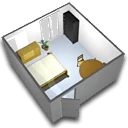
A free interior design application that helps you draw the plan of your house, arrange furniture on it and visit the results in 3D.
Create and review DWF files to easily share detailed 2D and 3D design data

Organize all your reference images in one place

Model your software architecture with StarUML

3D Modeling & Drawing
WinEst is professional construction estimating software designed for contractors to create detailed cost estimates, manage bids, and improve project profitability.

3D Modeling & Drawing

3D Modeling & Drawing