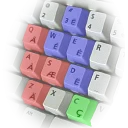
A custom keyboard layout that combines the standard US English layout with Serbian Latin characters (č, ć, ž, š, đ). Ideal for users who type primarily in English but need quick access to Serbian characters without switching input methods.
Technical details
Publisher
Vesic.Org
Author
Dejan Vesić
Version
1.1.0.0
License
MIT License
Installer type
zip
Architecture
x64
Package ID
Vesic.Org.US-YU.keyboard
Install US-YU Keyboard Layout for Windows 7+ from the command line
US-YU Keyboard Layout for Windows 7+ version history
1.0.3.40
Frequently asked questions
Is US-YU Keyboard Layout for Windows 7+ free?
Yes. US-YU Keyboard Layout for Windows 7+ is free and open-source software released under the MIT License license.
What is the latest version of US-YU Keyboard Layout for Windows 7+?
The latest version is 1.1.0.0.
Is it safe to download US-YU Keyboard Layout for Windows 7+?
The download button links to the official installer published on vesic.org, the same file Windows Package Manager installs. You can verify the downloaded file by comparing its SHA-256 checksum with ad60914a08060c2816a61830d3de57df0673cb07dc4cddf05a3c11a8253322a8.
Which Windows versions does US-YU Keyboard Layout for Windows 7+ support?
US-YU Keyboard Layout for Windows 7+ runs on Windows and is available for 64-bit (x64) systems.
How do I uninstall US-YU Keyboard Layout for Windows 7+?
Open Settings › Apps › Installed apps, find US-YU Keyboard Layout for Windows 7+ and select Uninstall. From the command line, run winget uninstall --id=Vesic.Org.US-YU.keyboard -e.
Alternatives to US-YU Keyboard Layout for Windows 7+
Other Keyboards programs for Windows from different developers.