

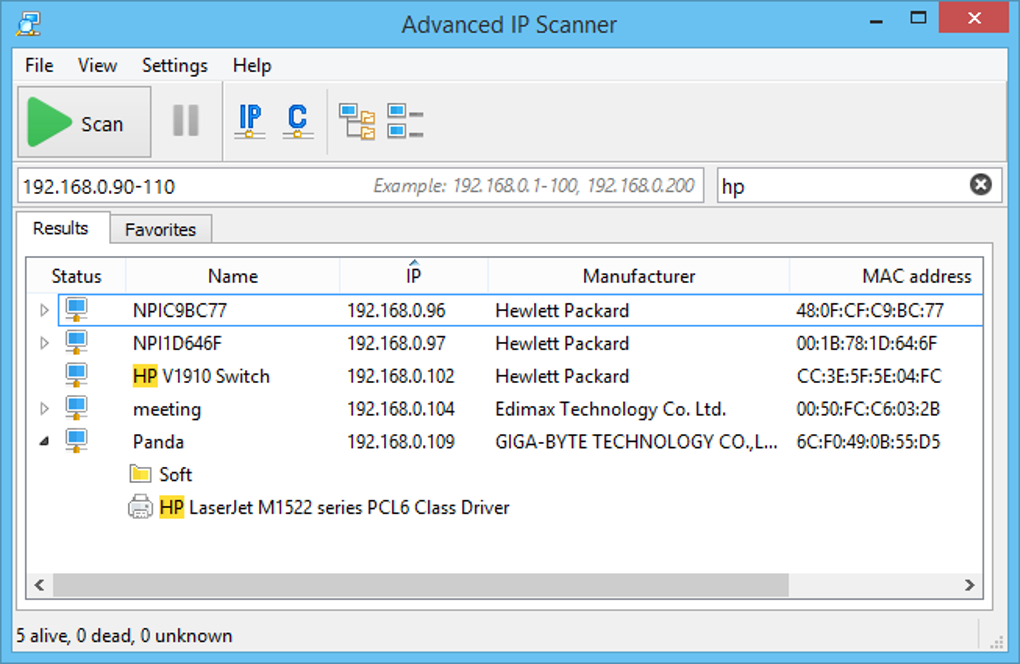
A simple tool for discovering network devices
Advanced IP Scanner is a network scanning tool that helps users identify devices connected to a local network. It displays information such as IP addresses, device names, and shared folders, making it useful for checking network activity and locating computers. Its straightforward design helps beginners and experienced users inspect connected devices without complex setup.
Advanced IP Scanner helps home users, office staff, and IT teams troubleshoot network issues and find shared resources. It supports remote access for compatible devices. However, results depend on network settings and permissions, so users should understand their environment before accessing other computers.
Advanced IP Scanner scans local network ranges and lists active devices with details such as IP address, manufacturer, and shared resources. It can open shared folders and supports remote shutdown or Wake-on-LAN on compatible systems. These options make routine checks quicker, especially for small networks, though access depends on device settings, permissions, and firewall rules. Its focus is discovery rather than full network monitoring or security analysis.
How network scanning simplifies device management
For day-to-day use, the scan starts quickly and presents results in a clear list that can be saved for later reference. Compared with Angry IP Scanner, it offers convenient remote actions, while Fing provides an alternative for users who prefer network checks through other devices. The main strengths are speed and ease of use; the trade-offs are limited reporting and fewer advanced tools for larger or more complex networks.
Still, scans can miss devices that block discovery or sit on another network segment. Remote actions should be used only on systems the user owns or has permission to manage. The program is best suited to quick inventory checks and basic troubleshooting rather than continuous monitoring or detailed security audits. Users needing broader reports or cross-platform workflows should compare dedicated network management tools before choosing a solution.
Pros
- Quickly identifies devices on local networks
- Displays IP addresses and shared resources
- Supports remote actions on compatible systems
- Offers a straightforward scanning process
Cons
- Scans may miss devices that block discovery
- Reporting features are limited
- Advanced network monitoring tools are not included
- Remote actions depend on permissions and device settings







