Free add-on for opening modern Office files on older versions
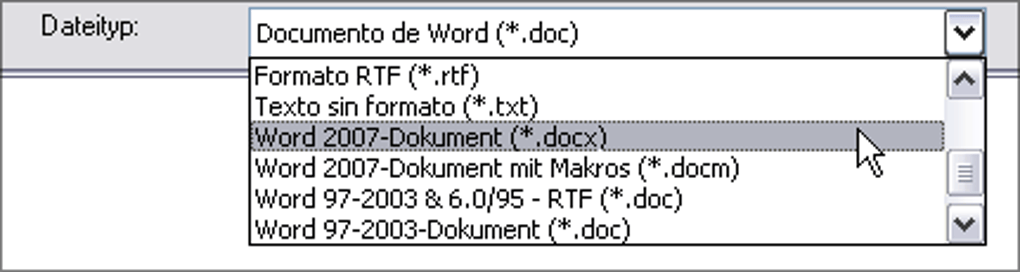
The Microsoft Office Compatibility Pack was a free tool developed by Microsoft to extend the life of older Office versions like Office 2000, XP, and 2003. It allowed users to open, edit, and save documents in the newer .docx, .xlsx, and .pptx file formats introduced in Office 2007. This pack helped users maintain productivity without upgrading their entire software suite.
By bridging the gap between legacy software and modern file standards, the Compatibility Pack remained widely used for over a decade. Although discontinued in 2018, it remains a useful solution for accessing modern Office files on older systems.
The Office Compatibility Pack adds essential converters to legacy versions of Word, Excel, and PowerPoint, enabling them to open and edit newer file formats introduced in Office 2007 and later. Users of Office 2000, XP, or 2003 could handle .docx, .xlsx, and .pptx files without needing to upgrade. It provided basic support for modern documents, offering a practical fix for compatibility gaps during a major shift in Microsoft’s file format structure.
How does the Compatibility Pack help older versions of Office?
While the Compatibility Pack preserved standard text, tables, and charts, it did not support advanced formatting or newer features. Elements like SmartArt, macros, embedded media, or complex Excel formulas often failed to load correctly or were stripped down. Even so, the tool handled most day-to-day documents well enough, especially for reading and editing standard business files. It served as a helpful bridge for users trying to keep pace with newer formats in a legacy environment.
Installation was simple and required the latest service pack for your version of Office. The pack supported Windows 2000 SP4, XP, Vista, and 7, but was not designed for use with Windows 10 or 11. There was no support for cloud storage, sharing tools, or modern collaboration features—it was a local fix aimed at basic compatibility only.
Pros
- Enables .docx, .xlsx, and .pptx support in Office 2000–2003
- Lightweight and easy to install
- Requires no upgrade or new license
Cons
- No support for Windows 10 or 11
- Does not include newer Office features like SmartArt or macros