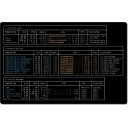
Share any terminal process in one command. The process stays on your machine. The CLI prints a browser link, password, and QR code. Terminal traffic is end-to-end encrypted by default. An agent can also observe a session through scoped MCP grants and, when specifically authorized, send input with host acknowledgement, human priority and duplicate protection. See MCP access and its decryption boundary. Control is off by default.
What's new in 0.25.0
Session summaries. Hover a session in app.shell.online to see what it is doing, without opening it. Added - Session summaries. Hover a session in the List or Board view (long-press on touch) to see a short summary. Off by default, owner-only and opt-in per session: shell permissions <id> --summaries=true, or the Summaries switch under Agent permissions. A session is summarised once each time it goes idle, and again only after new output. - Claude Code sessions are summarised on your machine from the conversation's own transcript and encrypted to your vault key. Nothing leaves in plain text. The binding follows /clear, /resume and handoff forks. - Other terminal sessions send redacted output, encrypted, to the shell.online summarizer: Qwen3-4B in an Intel TDX Confidential Space VM, with no tools and no internet access. The host sends nothing until it has verified the enclave's attestation and the signed image allowlist. The summary is encrypted to your vault key inside the enclave, and the service stores only ciphertext. Summaries are plain text with no links and may be wrong. Prompt-injection defences withhold anything that looks like a link, an account or login claim, or instructions. Only sessions started with 0.25.0 are covered. See docs/summaries.md for exactly what leaves your machine and the trust boundary.
A security patch. Upgrade if you share sessions from a machine that runs other programs as you, such as coding agents, MCP servers or install scripts. Security - A session's browser password no longer sits in any process's environment. The machine daemon handed a browser-started session its password in SHELL_ONLINE_E2EE_PASSWORD, and every background session kept it there for its whole life. Any program running as the same user could read it (ps -E, /proc/<pid>/environ). It now goes between shell's own processes over a pipe. Setting SHELL_ONLINE_E2EE_PASSWORD yourself still works as before. - The program a session shares no longer inherits the session's password, name, command or browser request. A shell run inside a browser-started session silently reused the parent's browser password and published the parent's command and name as its own, and shell password rotate run from inside rotated to the same password. The accounts service now also lets only one session claim a browser request. Sessions that are already running keep their old environment until they restart. After upgrading, restart the machine daemon so browser-started sessions use the new handoff.
Removed
The agent-record transcript added in 0.24.0 is withdrawn. It found a record by the directory the session started in, so sessions started from the same directory could resolve to the same file. The chat reads the screen again. …
0.24.0Sep 30, 2026
The chat renderer now reads a coding agent's own record of the conversation instead of the screen it draws. A full-screen agent repaints a grid, so what a viewer held was one screenful of a projection: history was gone, the contents changed with the terminal's scroll position, and whether the agent was working had to be inferred from a spinner that never says it has stopped. Claude Code and OpenClaw both keep a machine-readable record of the same conversation on the host, written per message and per tool step while a turn is still running. The CLI follows that and sends it as its own frame, sealed with the session's cipher, so the relay forwards it without being able to read it. What travels is narrow: what was said, the name of a tool, and the questions an agent is waiting on. Thinking, tool inputs and attachments stay on the machine. A session that never runs an agent sends nothing. Questions an agent asks are now answered in the chat. They arrive with their options, are drawn as buttons, and pressing one answers the program's own menu. Also in this release: Shell Keep gets a larger field, a new HUD, training at the Forge and touch controls, with a fix for "Gather now" answering an internal error; and the stats dashboard shows how far new accounts get. Upgrading is worthwhile for anyone using the chat renderer with an agent: the host side of that feature ships in this binary. See the changelog for detail.
0.23.3Sep 25, 2026
Terminal sessions started from the browser on macOS no longer run at background priority. - On macOS, the launch agent now runs the daemon as an Interactive job, not a Background one. Sessions started from the browser inherit the daemon's limits. Under Background they got the lowest CPU priority and throttled disk reads, including reading swapped memory back in. On a Mac short of memory, an idle session could take 5–30 seconds to show a keystroke (#268). - shell service status says when the installed launch agent still uses the old setting. Upgrading a Mac: install this release, then run shell service install to rewrite the launch agent. This restarts the daemon, and the restart re-keys it. Running sessions are not closed. They keep background priority until they are restarted, while new ones start at normal priority. Linux is unchanged; its service never lowered priority. Install or update with the documented installer, or download a binary and check it against SHA256SUMS. The build-from-source instructions pin this release. Verified: all 15 required GitHub checks passed on #268 and on the release PR (#271), including Windows and emulated Linux architectures. The published /downloads/SHA256SUMS matches this bundle, and the macOS arm64 binary matches its release.json checksum. Release bundle: 78 files, including installers, checksums and metadata. Builds on v0.23.2: terminals sized to the screen showing them.
Other versions
0.22.0
Frequently asked questions
Is shell.online free?
Yes. shell.online is free and open-source software released under the MIT license.
What is the latest version of shell.online?
The latest version is 0.25.0, released on Oct 2, 2026.
Is it safe to download shell.online?
The download button links to the official installer published on github.com, the same file Windows Package Manager installs. You can verify the downloaded file by comparing its SHA-256 checksum with 36385f7e1dfd9b6879dc7bf010907285525fc8def3746f7c62057fb45eb2e3b0.
Which Windows versions does shell.online support?
shell.online runs on Windows and is available for 32-bit (x86), 64-bit (x64), ARM64 systems.
How do I uninstall shell.online?
Open Settings › Apps › Installed apps, find shell.online and select Uninstall. From the command line, run winget uninstall --id=teoslayer.shell.online -e.
Is there a portable version of shell.online?
Yes. shell.online is available as a portable program (shell-windows-amd64.exe, 64-bit (x64)) that runs without installation. Copy it to any folder or USB drive and run it from there.
Alternatives to shell.online
Other Command Line Tools programs for Windows from different developers.