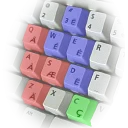
The Philippines Unicode Keyboard Layout (PH-UKL) is the first Unicode keyboard layout for Philippine languages with ₱eso and Baybayin (ᜊᜌ᜔ᜊᜌᜒᜈ᜔) support.
The Philippines Unicode Keyboard Layout (PH-UKL) is the first Unicode-based keyboard layout made for the needs of the Filipino people. Its main features are the availability of the Philippine Peso currency symbol, the letter Ññ, as well as, the Philippine diacritical marks.
Technical details
Publisher
Yelosan Publishing
Author
JC John Sese Cuneta
Version
2.0.1
Release date
2018-05-07
License
CC0-1.0, MIT
Installer type
zip
Architecture
x64
Package ID
yelosan.PH-UKL.TagbQRTY
Install scope
All users
Install Tagbanwa Baybayin (QWERTY) from the command line
Yes. Tagbanwa Baybayin (QWERTY) is free and open-source software released under the CC0-1.0, MIT license.
What is the latest version of Tagbanwa Baybayin (QWERTY)?
The latest version is 2.0.1, released on May 7, 2018.
Is it safe to download Tagbanwa Baybayin (QWERTY)?
The download button links to the official installer published on codeberg.org, the same file Windows Package Manager installs. You can verify the downloaded file by comparing its SHA-256 checksum with ce65821dfdf3ec9efe0f378706f4e18be4e317353d3963cfb8804a868d860b28.
Which Windows versions does Tagbanwa Baybayin (QWERTY) support?
Tagbanwa Baybayin (QWERTY) runs on Windows and is available for 64-bit (x64) systems.
How do I uninstall Tagbanwa Baybayin (QWERTY)?
Open Settings › Apps › Installed apps, find Tagbanwa Baybayin (QWERTY) and select Uninstall. From the command line, run winget uninstall --id=yelosan.PH-UKL.TagbQRTY -e.
Alternatives to Tagbanwa Baybayin (QWERTY)
Other Keyboards programs for Windows from different developers.
The Philippines Unicode Keyboard Layout (PH-UKL) is the first Unicode keyboard layout for Philippine languages with ₱eso and Baybayin (ᜊᜌ᜔ᜊᜌᜒᜈ᜔) support.
The Philippines Unicode Keyboard Layout (PH-UKL) is the first Unicode keyboard layout for Philippine languages with ₱eso and Baybayin (ᜊᜌ᜔ᜊᜌᜒᜈ᜔) support.
The Philippines Unicode Keyboard Layout (PH-UKL) is the first Unicode keyboard layout for Philippine languages with ₱eso and Baybayin (ᜊᜌ᜔ᜊᜌᜒᜈ᜔) support.