


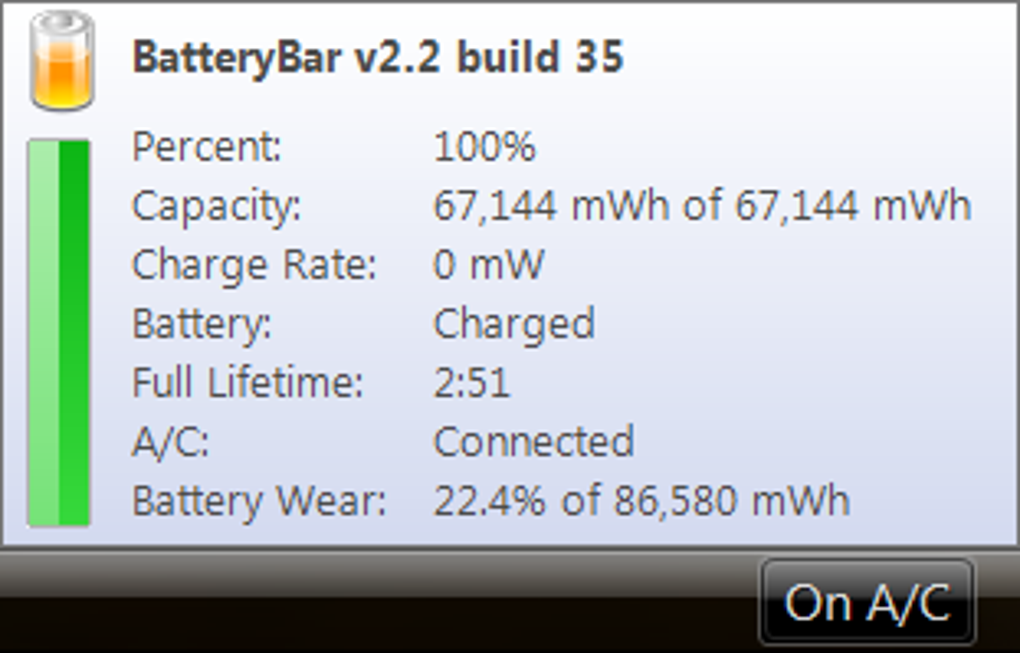

Detailed utility for monitoring battery performance
BatteryBar is a lightweight Windows utility that provides real-time monitoring of laptop battery status. It displays remaining charge, discharge rate, and estimated time left on the taskbar. Users can track battery health over time, analyze charge and discharge patterns, and manage power effectively. Its simple interface delivers detailed metrics.
Moreover, the BatteryBar offers real-time battery monitoring with historical statistics, showing charge and discharge patterns to track battery health. Integrated into the system tray, it provides continuous visibility and insight, supporting both standard and high-capacity batteries on a variety of portable devices.
BatteryBar includes a range of highly customizable display options, allowing users to show battery percentages, time remaining, or both simultaneously. The taskbar icon’s style, color, and tooltip information can be adjusted to match individual preferences. This flexibility ensures monitoring remains informative, visually clear, and unobtrusive, providing an effective and user-friendly way to track laptop battery status without cluttering the workspace.
Battery monitoring and customization
In addition, the utility also records battery cycles, enabling users to closely monitor overall battery health over time. Custom alerts notify users of low charge levels or full recharge completion, helping extend battery lifespan. Additionally, data export features allow analysis of trends over weeks or months, supporting proactive maintenance and informed decision-making for optimal laptop performance and long-term battery care.
A limitation of this utility is that it focuses exclusively on battery monitoring and does not include additional system diagnostics. While it provides detailed insights for portable devices, users seeking broader monitoring for CPU, memory, storage, or other system components will need complementary software. Despite this, it remains highly effective for tracking battery performance, health, and usage patterns on laptops and other portable devices.
Pros
- Accurate real-time battery readings
- Historical charge/discharge tracking
- Customizable taskbar display
Cons
- Limited to battery monitoring
- No broader system diagnostics






