
Data Recovery Free: Save your memories and work
We keep a lot of important stuff on our computers and gadgets, like family photos, work documents, and other files we don't want to lose. But sometimes, things go wrong, and we might accidentally delete files or have our gadgets break down, leading to the loss of this important data. Luckily, there are data recovery tools like “Data Recovery Free” which protect us from being left in limbo.
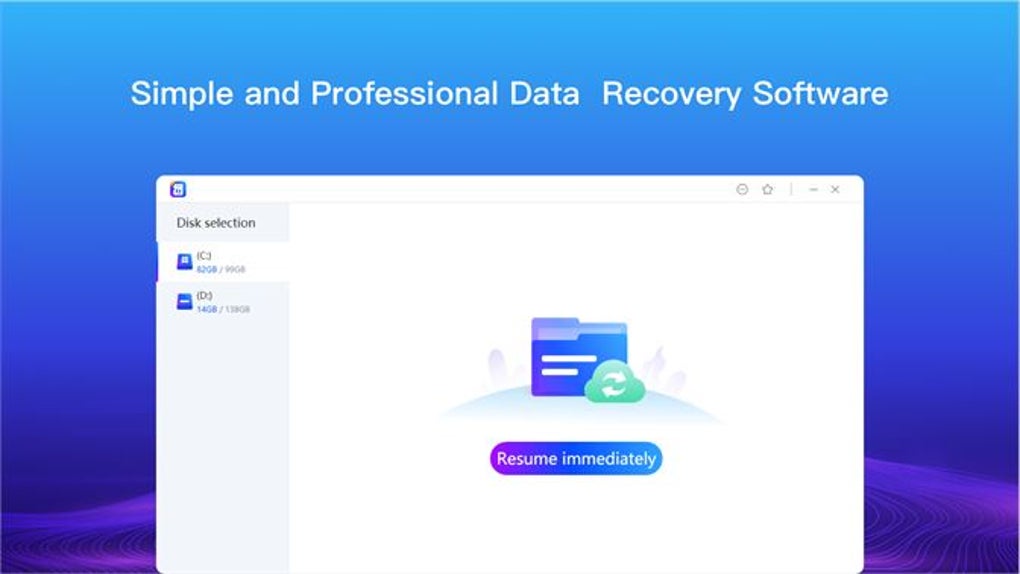
"Data Recovery Free" is more than just another data recovery program. It's designed to be super user-friendly, making it easy for anyone to use, whether you're tech-savvy or not. Here’s what it brings to the table:
Data Recovery Free features
- Gets Back All Kinds of Files: No matter if it's photos, documents, music, videos, or zip files, this tool can help get them back.
- Works with Many Devices: It’s not just for computer hard drives. You can use it with external hard drives, USB sticks, and other storage gadgets.
- Simple to Use: The interface is straightforward, making it easy to find and recover your files.
- Flexible Payment Options: You can start using it for free. If you like it, there are options to buy more features for a year, three years, or even for a lifetime.
Advantages of Data Recovery Free
Having a System & Utility tool like "Data Recovery Free" is super important because:
- Saves Important Memories: It helps you get back those precious memories and important work files that you thought were gone.
- Keeps Businesses Running: For businesses, losing documents can be a big problem. This tool helps recover important files quickly so businesses can keep going.
- Saves Money: It's a budget-friendly option compared to paying a lot for professional data recovery services.
Data Recovery Free alternatives
Here are some of the best Data Recovery Free alternatives that you can use:
While "Data Recovery Free" is a solid choice, there are other tools out there that might fit your needs better:
- DroidKit: This is a great option if you use an Android phone. It does more than just recover files; it can fix your phone if it's acting up, clean up junk files, and even help if you're locked out of your device.
- Recuva: This free tool is for Windows users. It's good at getting back files from just about any place you might have lost them, like memory cards, USB sticks, and external hard drives.
- Power Data Recovery: This one works on both Windows and Mac computers. It's good for getting back lost files from different kinds of drives and gadgets.
Pros
- Fast scan times
Cons
- Free version does not have all the features
- Constant bugs







