
Free, lightweight screen recording assistant
Fine Screen Recorder – Screen Recorder for Windows is a practical screen capture utility that you can use to record gameplay walkthroughs, software tutorials, or remote meetings with absolute ease. When compared to OBS Studio or Bandicam, this lightweight tool offers straightforward options while maintaining low resource consumption on your personal home computer system.
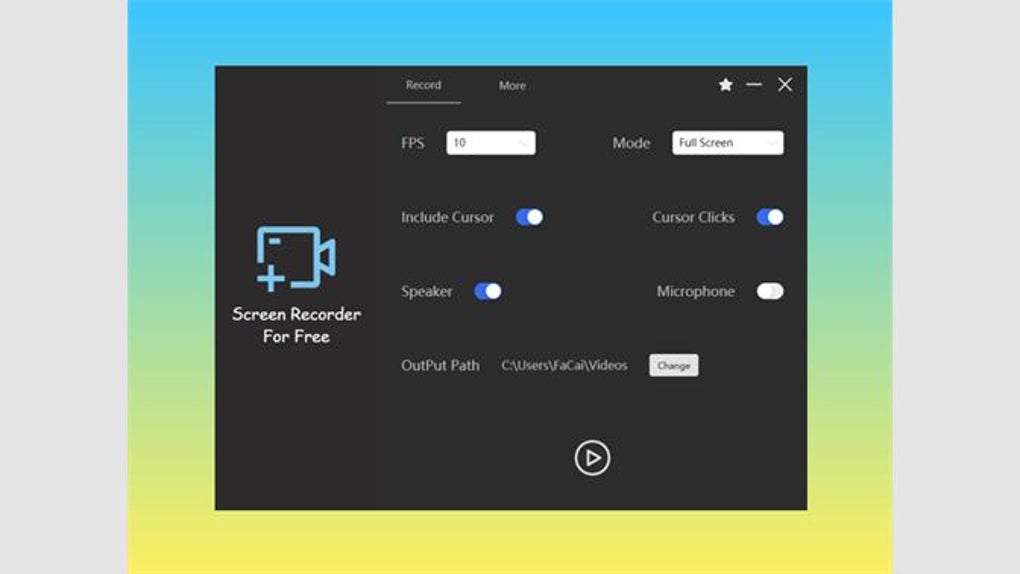
Fine Screen Recorder stands out with its instant disk saving and professional audio mixing capabilities. Users can record microphone inputs and speaker outputs simultaneously, ensuring crisp visuals and clear audio. This makes it an attractive choice for content creators seeking reliable performance across all recording projects.
Fine Screen Recorder – Screen Recorder for Windows offers exceptional flexibility by supporting both entire screen capture and specific application windows, allowing users to maintain a clean workflow. Plus, the software supports smooth 24 frames per second recording in its standard version, while higher frame rates can be unlocked via the paid upgrade to satisfy demanding esports players. Video data is written directly to your disk in real time.
Streamlined and versatile recording
Users can also protect their original content and copyright by setting custom text or image watermarks on their recorded files. Built upon Windows Media Foundation technology, the utility requires specific components depending on your operating system setup. Windows N or KN editions require downloading the official Media Feature Pack from Microsoft, whereas Windows Server users must manually add the desktop experience features through their system manager before launching.
The free version includes an unlimited recording duration without imposing any mandatory brand watermarks across your finished media output. Independent audio mixing capabilities allow users to capture external microphone inputs and internal speaker sounds concurrently without performance lag. However, users of the complimentary version are strictly limited to basic full-screen recording modes while enduring intrusive banner advertisements that can occasionally disrupt your recording workspace.
Pros
- Lightweight performance
- Instant disk saving
- Professional audio mixing
- Unlimited recording duration
Cons
- Lacks advanced functionalities
- Intrusive advertisements







