


Versatile media player for daily entertainment
GOM Player Plus delivers a premium media playback experience, supporting a wide range of formats including AVI, MP4, MKV, FLV, and WMV. It handles high-resolution content, such as 4K Ultra HD, with impressive clarity and minimal lag. Hardware acceleration technologies like NVIDIA CUDA and Intel Quick Sync enhance performance by reducing CPU load, offering smoother playback—though optimal results may depend on system configuration and driver compatibility.
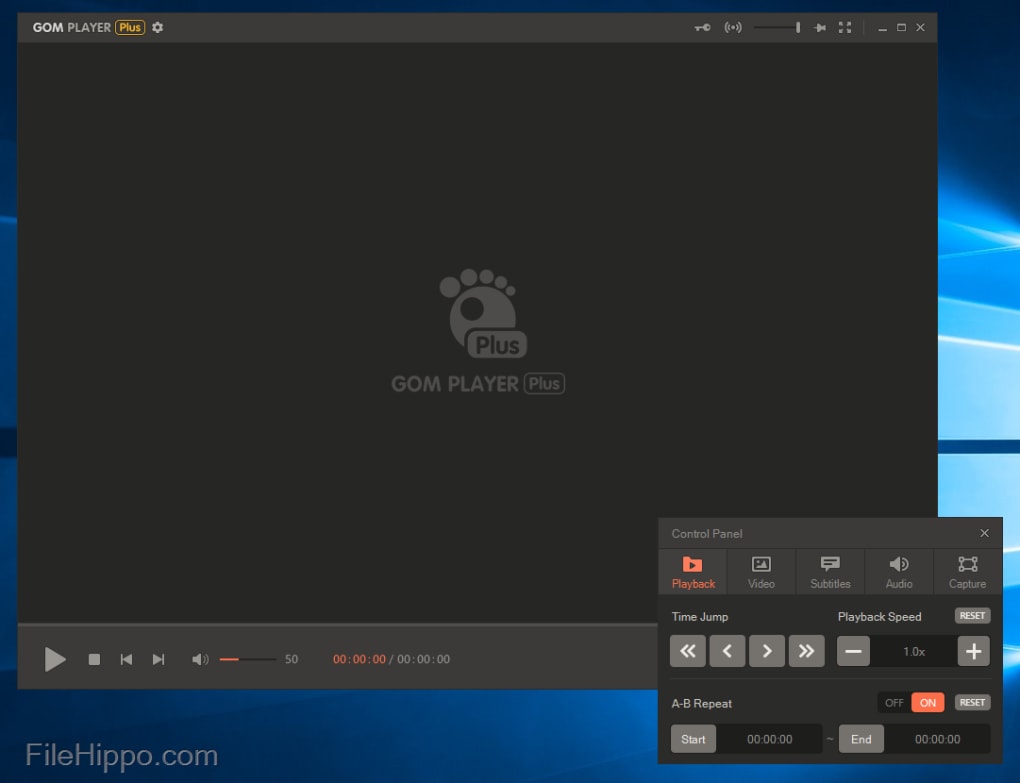
As a versatile media player, GOM Player Plus supports a broad range of video and audio formats, making it ideal for diverse playback needs. It generally handles 4K and HDR content well, though occasional stuttering or sync issues can be experienced depending on system setup. Notably, its A-B repeat feature allows users to loop specific segments, which is especially useful for language learners, musicians, and anyone needing precise scene analysis or repeated viewing.
Effortless playback and customization
Integration with online resources
GOM Player Plus offers seamless subtitle integration through OpenSubtitles, enabling users to search and download subtitles directly within the player via a simple, user-friendly search bar. The results are typically accurate and quick to access. Additionally, it provides extensive subtitle customization options, including adjustments to font, size, color, and position, allowing users to tailor their viewing experience for comfort, clarity, or specific language learning needs.
User-Centric Experience and Accessibility
GOM Player Plus emphasizes customization, offering downloadable skins and themes to personalize interface colors, buttons, and layouts—though the selection could be expanded. It also features granular playback settings, such as adjustable playback speed, video effects, and A‑B repeat. While interface options are robust, customization depth varies across features, leaving room for further enhancement.
Visual quality, audio precision, and overall performance
Although GOM Player Plus has an impressive high-definition playback, supporting 4K resolution at 60 FPS, performance can vary based on system configuration. Audio playback is generally clear and dynamic, delivering an immersive experience for both music and movies. While some users report occasional stuttering or sync issues with demanding files, its strong visual quality, solid audio performance, and versatile features make it a competitive media player option.
Pros
- Extensive format
- Subtitle support
- HD playback up to 4K
- Customization features
Cons
- Limited interface
- Limited audio editing depth






