

What makes website creation easier for beginners
Hostinger is a web hosting service that helps individuals, businesses, and creators build websites without needing advanced technical skills. Its tools support personal blogs, online stores, business pages, and other projects, making it useful for people who want to establish an online presence. Website owners can manage hosting and essential services in one place.
For gaming communities, Hostinger supports gaming blogs, esports websites, community pages, and content platforms. Its website builder, hosting plans, and WordPress support offer ways to publish content. However, choosing a suitable plan requires attention to pricing, resources, renewal costs, and features needed for long-term growth.
Hostinger combines shared and cloud hosting, WordPress options, a website builder, and AI-powered tools for creating pages and managing content. Users can set up blogs, business sites, online stores, and file-sharing platforms, while email, SSL certificates, backups, and domain offers vary by plan. This range makes it practical for beginners who want a guided start, though advanced projects may need more control than basic shared hosting provides.
What makes Hostinger a practical website hosting choice
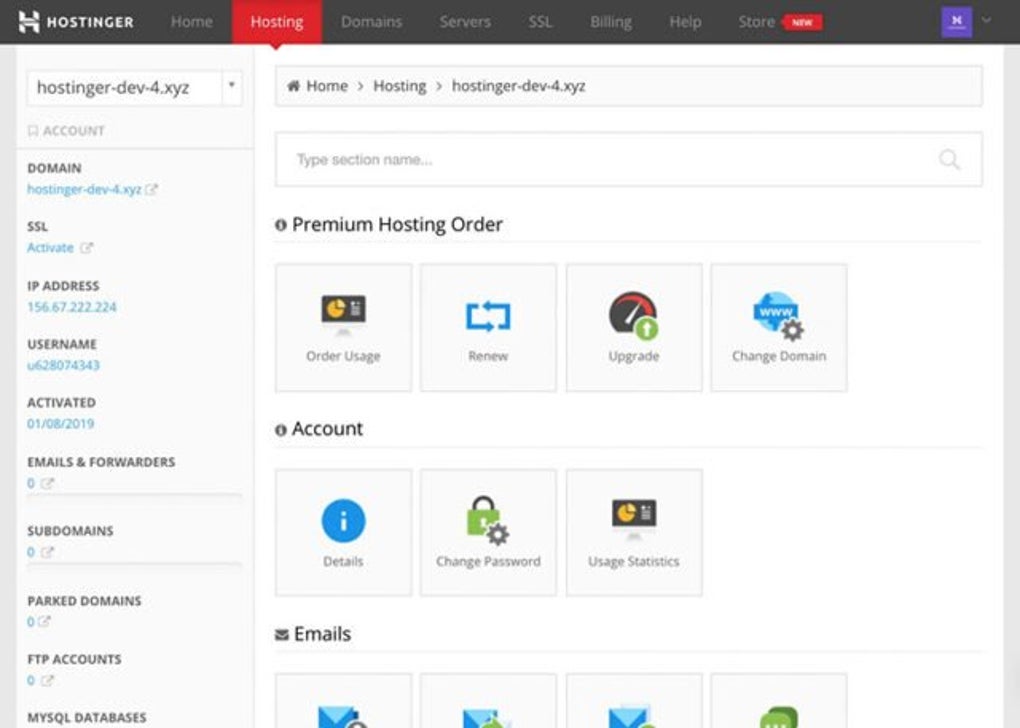
The service focuses on making website management straightforward through a central control panel, guided setup, and one-click WordPress installation. Performance benefits from SSD or NVMe storage and available content delivery network features, although results depend on the selected plan, server location, and website workload. Compared with Bluehost, it offers a similar beginner-friendly approach, while SiteGround provides another option for users prioritizing managed hosting services.
However, low introductory prices can require long subscription commitments, and renewal rates are higher, so checking the full cost is important. Entry-level plans also limit website numbers and storage, which may restrict growing projects. Customer support is available around the clock, but complex needs can require more technical knowledge, especially with VPS hosting. Overall, the service suits smaller websites best, while resource-heavy projects should compare higher-tier plans and alternatives before committing.
Pros
- Beginner-friendly setup and website management
- Supports WordPress, online stores, and business websites
- Includes useful tools for website creation and maintenance
- Offers hosting options for different project sizes
Cons
- Renewal prices are higher than introductory rates
- Entry-level plans have storage and website limits
- Performance depends on the plan and website workload
- Advanced projects may require more technical knowledge






