

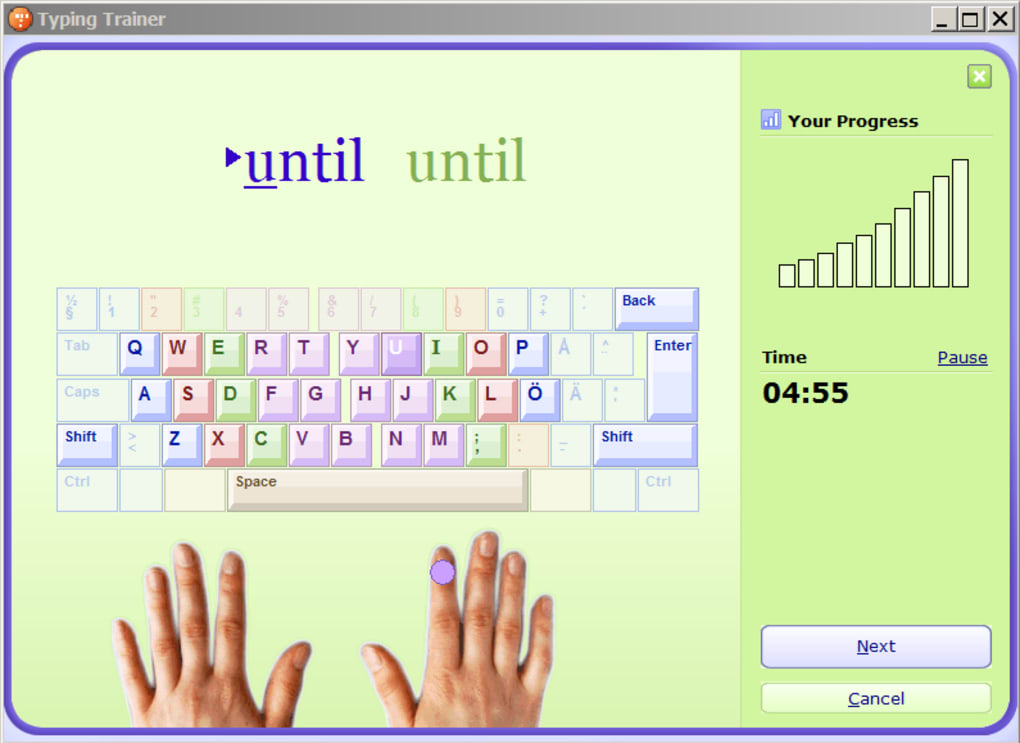
Improve typing skills through guided practice
Typing Trainer is a free, web-based, and downloadable typing tutor designed to help users improve speed, accuracy, and overall keyboard skills. It offers step-by-step lessons, interactive drills, and progress tracking for structured learning. With this, both beginners and intermediate typists can steadily develop better typing habits through consistent, focused practice sessions.
The program includes practice exercises and timed typing tests to measure progress over time. It also offers visual guidance for proper finger placement, making it easier to adopt correct touch-typing techniques. By using Typing Trainer regularly, users can type more efficiently in personal, academic, and professional tasks requiring consistent keyboard use.
Typing Trainer offers a wide selection of lessons, ranging from basic letter positioning to advanced speed drills. Each exercise focuses on building specific skills such as accuracy, rhythm, and hand coordination. Progress charts help users track improvements and spot areas needing attention. However, the outdated interface design can make the program feel less modern and engaging compared to newer typing tutors with more visually appealing layouts.
Comprehensive lessons and interactive features
The software includes a warm-up feature that prepares users for longer typing sessions. Its adaptive training adjusts lesson difficulty based on performance, helping users progress at a pace suited to their abilities. Typing games are also included to make practice engaging for younger learners. However, it offers limited customization for lesson content and lacks advanced drills, which can leave expert typists without enough challenging material to refine their skills further.
While it is available for free online, it also offers an offline version for those who prefer to practice without internet access. Alternatives such as KeyBlaze, RapidTyping, and Typing.com provide similar training tools, though this program stands out for its structured lessons and progress tracking. Still, some users may find its feature set less extensive than that of competing platforms with more varied training options.
Pros
- Structured lessons for all skill levels
- Adaptive training adjusts difficulty automatically
- Visual finger placement guidance
- Available both online and offline
Cons
- Outdated interface design
- Limited customization for lesson content
- Few advanced drills for expert typists






