
Versatile PDF management utility
PDF-XChange Editor is a robust software utility designed for creating, editing, annotating, and securing PDF documents. It serves as a comprehensive solution for handling standard and complex tasks, offering a user-friendly interface combined with powerful tools. Whether for professional or personal use, it supports document manipulation features, including OCR for converting scanned files into searchable text.
PDF-XChange Editor offers a perpetual license and supports all current Windows versions. It includes advanced features like multi-format conversion, page extraction, and multimedia support, balancing ease of use with powerful tools for both casual users and professionals.
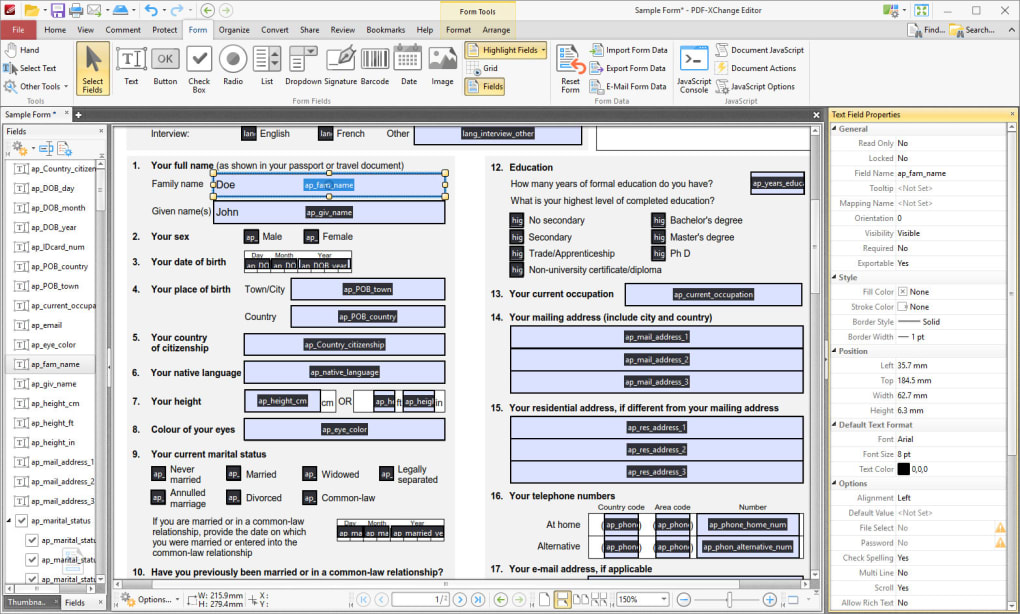
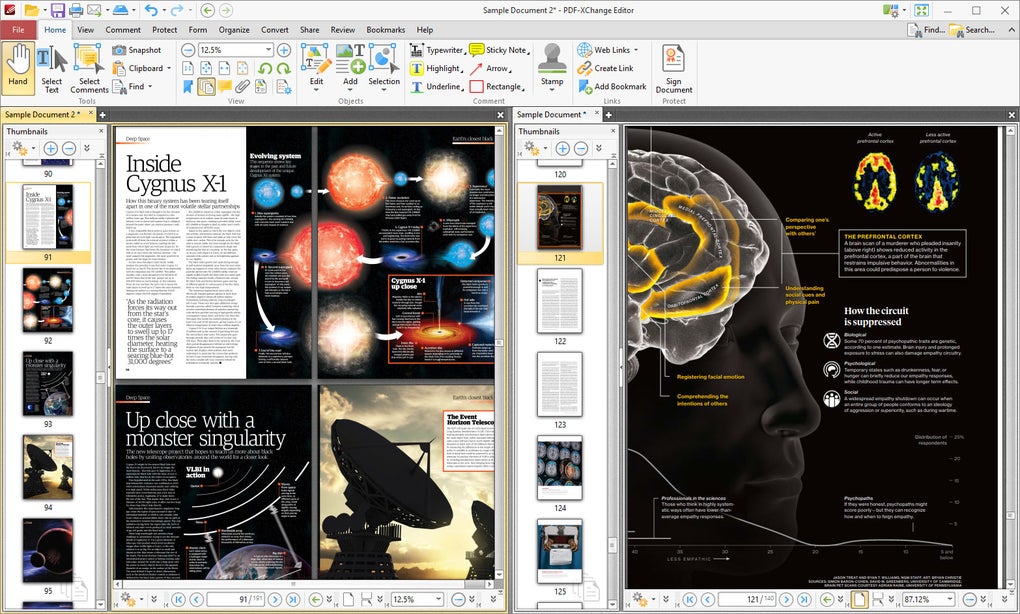
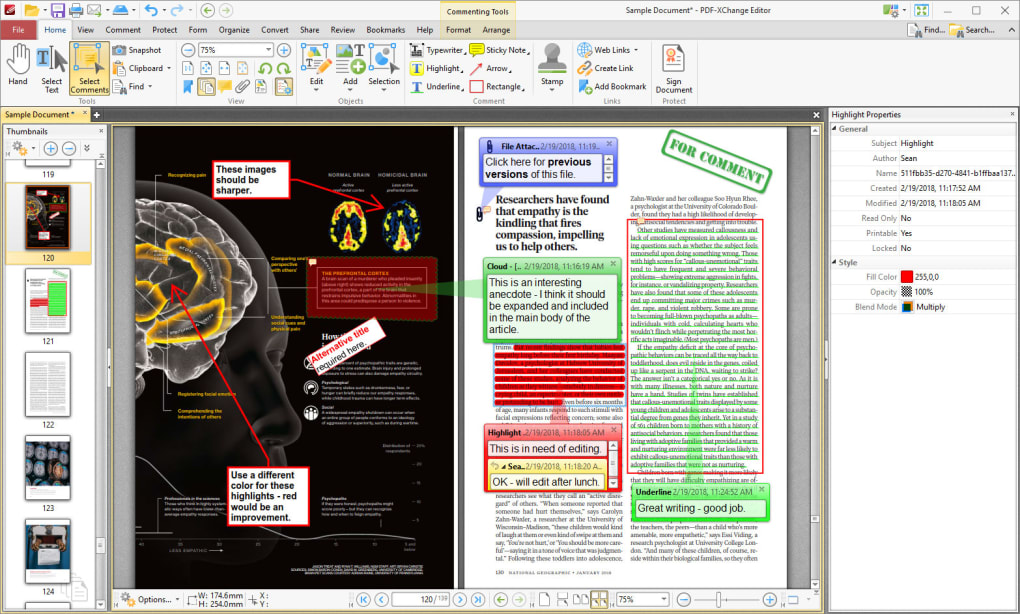
PDF-XChange Editor features a ribbon-style interface that users familiar with office suites will find intuitive and easy to navigate. Toolbars are logically organized, providing quick access to editing tools, annotations, and security settings. The document pane clearly displays file contents, complemented by side panels for comments and attachments. This customizable layout accommodates diverse workflows while remaining efficient for all user levels.
Intuitive PDF editing with advanced features
The software supports precise text editing with individual text box control for easy adjustments and extensive annotation options like highlights, notes, stamps, and multimedia comments. It includes protection features such as encryption, password controls, redaction, and hidden data removal. With robust OCR, it converts scanned documents into editable files, supports multiple export formats, integrates with external tools, and offers stable performance despite a learning curve.
While feature-rich, the extensive toolset can be overwhelming for casual users or beginners without prior PDF editing experience. The wide range of options and advanced settings may require time to learn, even though the software provides structured menus and tutorials to assist navigation. Patience and practice improve usability over time. Similar apps to this one are Foxit PDF Editor, Wondershare PDFelement, Nitro PDF Suite, and ABBYY FineReader PDF.
Pros
- Extensive editing and annotation tools
- Accurate OCR for scanned documents
- Flexible interface with customizable workspace
- Strong document security features
Cons
- Steeper learning curve for beginners
- Free version applies watermarks on some features
- Interface design may seem dated to some users