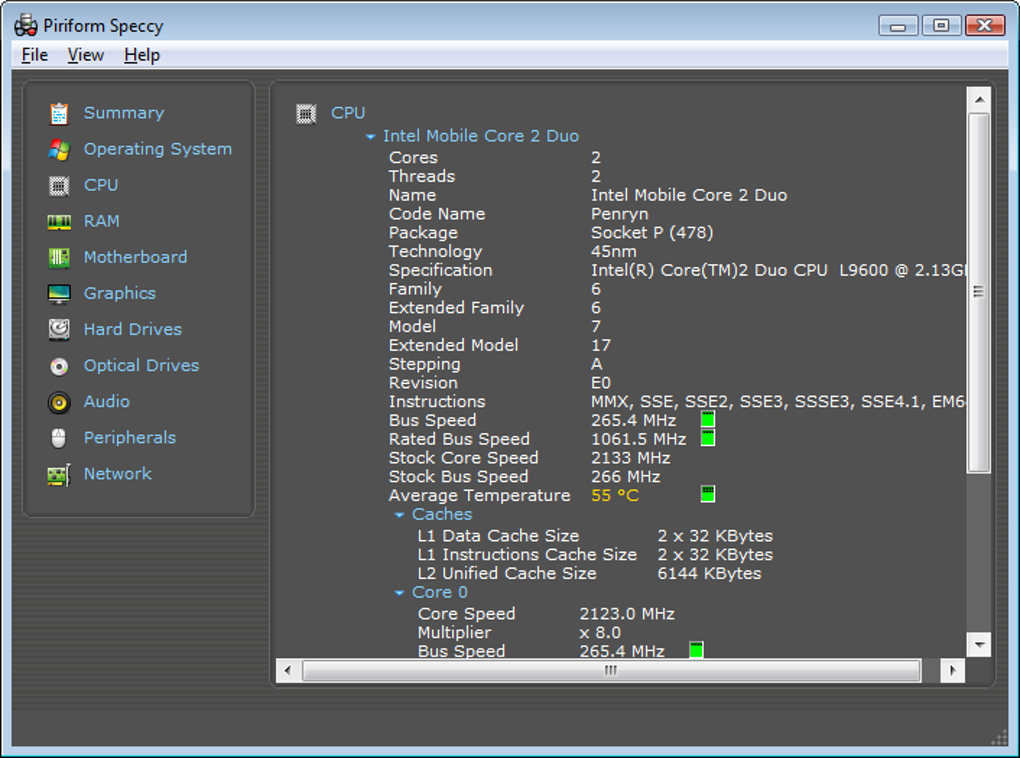
Detailed PC system information at a glance
Speccy is a free, lightweight yet powerful system information tool designed to give you a complete overview of your computer’s hardware. It provides detailed statistics for every component, including the CPU, RAM, motherboard, graphics, storage devices, and operating system. The program is particularly useful for troubleshooting, upgrading, or optimizing your system.
With Speccy, users can instantly see real-time temperatures and other performance metrics for critical components. Whether you’re a casual user wanting to check your specs or a technician diagnosing a PC issue, it offers a clear, concise, and easy-to-understand interface that makes system analysis quick and efficient.
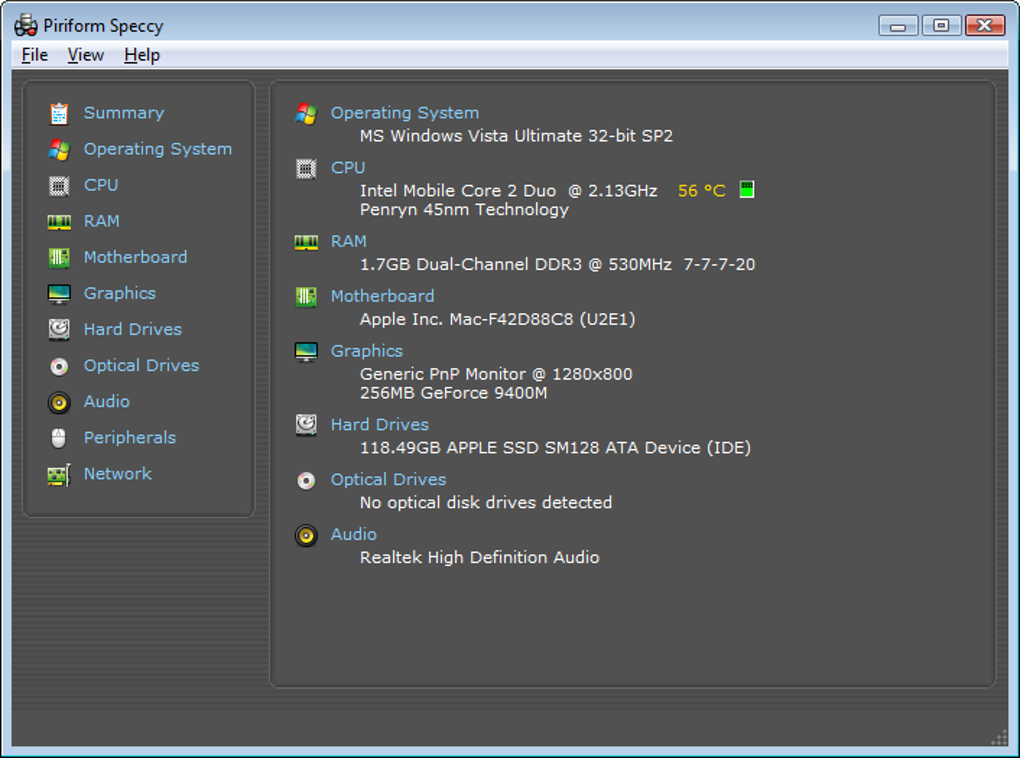
Speccy scans your PC to deliver an in-depth breakdown of every hardware component. From CPU model, architecture, and clock speed to RAM type, capacity, and frequency, it organizes technical data into an easy-to-read format. The software also lists graphics card details, storage capacity, and type, as well as motherboard specifications, making it an excellent tool for checking compatibility before upgrades or replacements. This level of precision ensures users have accurate, up-to-date insights into their system’s setup, helping them make informed hardware decisions with confidence.
Comprehensive hardware overview
Its organized interface separates information into clearly labeled categories, allowing users to navigate directly to the section they need without confusion. This is especially helpful for those who may not be familiar with complex hardware terminology or technical jargon. Instead of overwhelming users with raw, unformatted data, the program simplifies presentation while still delivering the necessary detail. As a result, it appeals to both tech enthusiasts who demand in-depth specifications and casual users seeking straightforward, essential system information in a clean, user-friendly layout.
Real-time monitoring and reporting
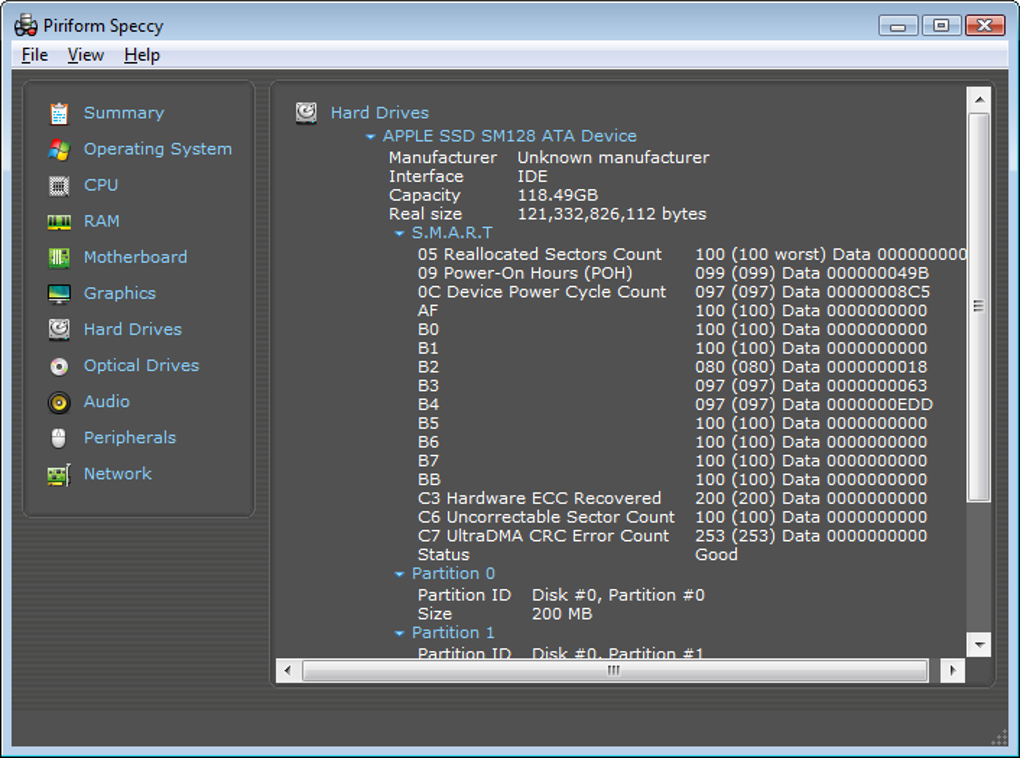
Beyond providing static information, the program offers live monitoring of component performance and temperatures. This is critical for gamers, overclockers, and professionals who push their hardware to its limits. Users can check temperatures for CPUs, GPUs, and storage drives in real time, helping them spot overheating issues before they become critical. However, its limited advanced diagnostic tools can disappoint users seeking deeper performance analysis, making it more suitable for basic monitoring rather than in-depth hardware troubleshooting.
The software also allows users to generate detailed system snapshots. These reports can be saved locally, archived for upgrade tracking, or shared with technical support teams. When troubleshooting, having these reports can drastically reduce the time needed to diagnose hardware issues. However, the lack of a built-in benchmarking feature limits its usefulness for users who want to measure performance changes over time. While still practical for personal and professional use, it falls short in performance comparison capabilities.
Alternatives and compatibility
While it is a robust solution, there are other tools such as HWMonitor, CPU-Z, and AIDA64 that offer similar capabilities. However, many users prefer this program for its clean, uncluttered layout that avoids overwhelming them with excessive data. The minimal design makes it approachable for non-technical users while still delivering the depth that power users expect. Unfortunately, it offers fewer customization options compared to competitors, which can limit flexibility for advanced users seeking a more tailored experience.
Compatibility is another strong point for this program. It supports a broad range of Windows operating systems, from older legacy versions to the latest builds, ensuring accessibility for nearly all PC users. This versatility allows it to run smoothly on aging office hardware just as easily as on modern gaming rigs. Whether you’re diagnosing performance issues on an outdated workstation or analyzing components in a high-end system, it remains a dependable tool across diverse system configurations without sacrificing accuracy or stability.
Pros
- Clear and organized interface
- Real-time hardware temperature monitoring
- Lightweight and fast performance
- Easy report sharing and exporting
Cons
- Limited advanced diagnostic tools
- No built-in benchmarking feature
- Fewer customization options compared to competitors