
A beginner-friendly streamer with a limited future
Twitch Studio is a free broadcasting program built to help new creators start livestreaming with less setup and confusion. Rather than a game with a story or combat mechanics, it focuses on bringing gameplay, microphone audio, webcam video, chat, and alerts together in one stream. Its appeal was straightforward access for beginners.
For gaming communities, streaming can turn solo play into shared entertainment, letting creators react to viewers. Twitch Studio paired guided setup with ready-made layouts and built-in Twitch features, making a first broadcast less intimidating. However, Twitch ended support, so its former convenience now carries a practical drawback today.
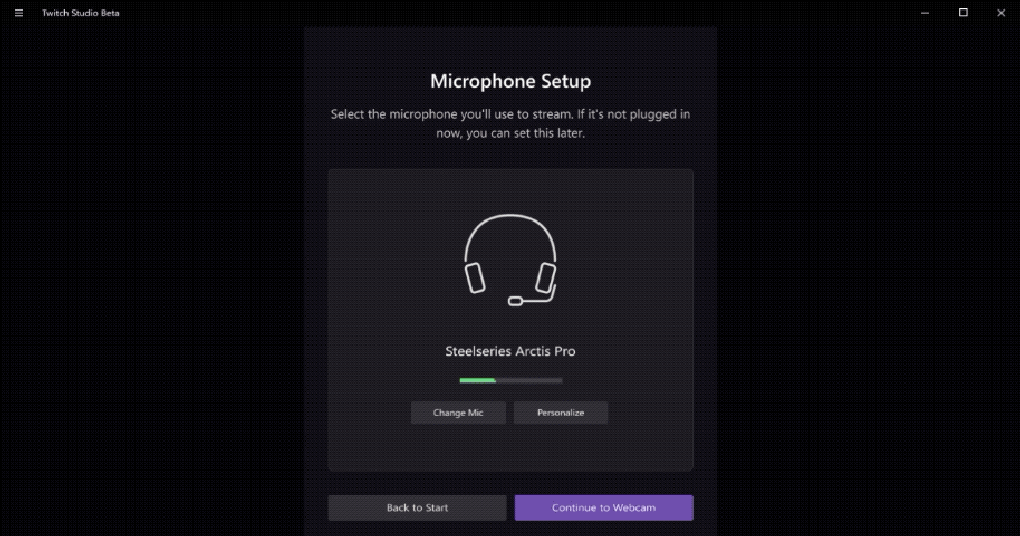
Twitch Studio’s main strength was a guided setup that checked a creator’s microphone, webcam, display, and stream settings, reducing guesswork for first-time broadcasters. Starter layouts, customizable overlays, built-in chat, activity feeds, and alerts helped creators manage audience interaction without juggling as many separate tools. Green-screen support and multiple audio sources added useful flexibility, though experienced users could find the overall feature set less extensive than OBS Studio or Streamlabs Desktop.
What makes this streaming software useful for beginners
Day-to-day use emphasized convenience over deep control: creators could arrange scenes for gameplay, chatting, or breaks, then switch between them during a broadcast. Automatic recommendations helped with initial quality settings, but actual results still depended on the computer, network, and audio setup. Compared with OBS Studio’s broader customization, the simpler workflow reduced setup effort but offered fewer reasons for advanced streamers to stay long term.
The decisive drawback is that Twitch no longer supports or updates the application, making it a poor choice for anyone starting a dependable long-term setup. Existing installations may not receive fixes or help if problems arise, and new users should choose a maintained alternative instead. Streamlabs Desktop offers another beginner-friendly route, while OBS Studio suits people who want more control and a large set of customization options.
Pros
- Free streaming software designed for beginners
- Guided setup simplifies initial configuration
- Built-in chat, alerts, and activity feeds support viewer interaction
- Customizable scenes, green-screen support, and multiple audio sources offer flexibility
Cons
- Official support and updates have ended
- Features offer less customization than OBS Studio
- Existing installations may not receive fixes or assistance
- Not recommended for new streamers seeking a dependable long-term solution







